
AI Age Filter Online
Upload a photo and the age filter shows how you would look in your 20s, 40s, 60s or 80s: realistic wrinkles, grey hair and skin changes, with your face, clothes and background left as they are.
- 4 ages
- 2K output
- PNG download
- Nano Banana 2.1
See yourself older or younger.
Sign in to use the tool. New accounts get free credits to try it.
Example
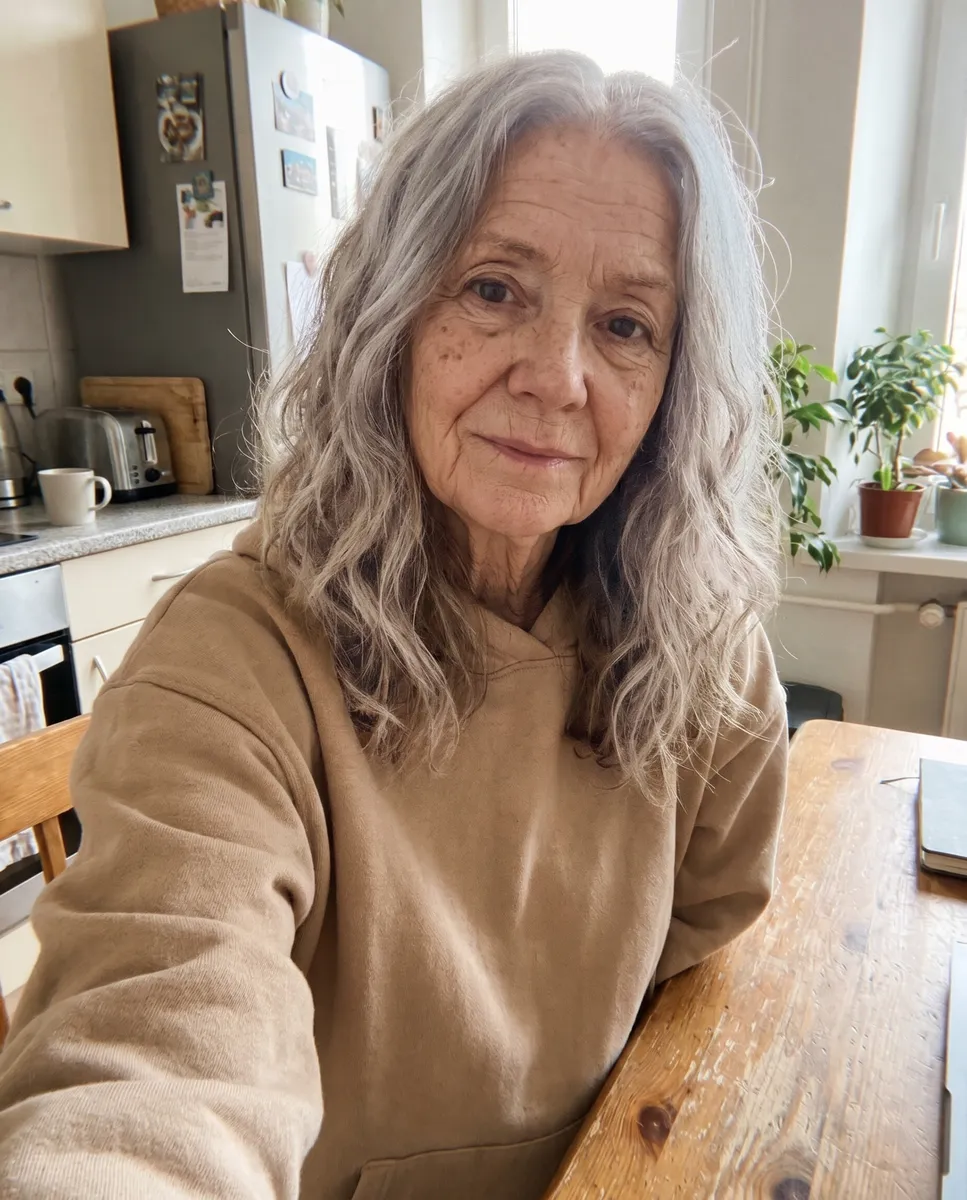 Example · 80s
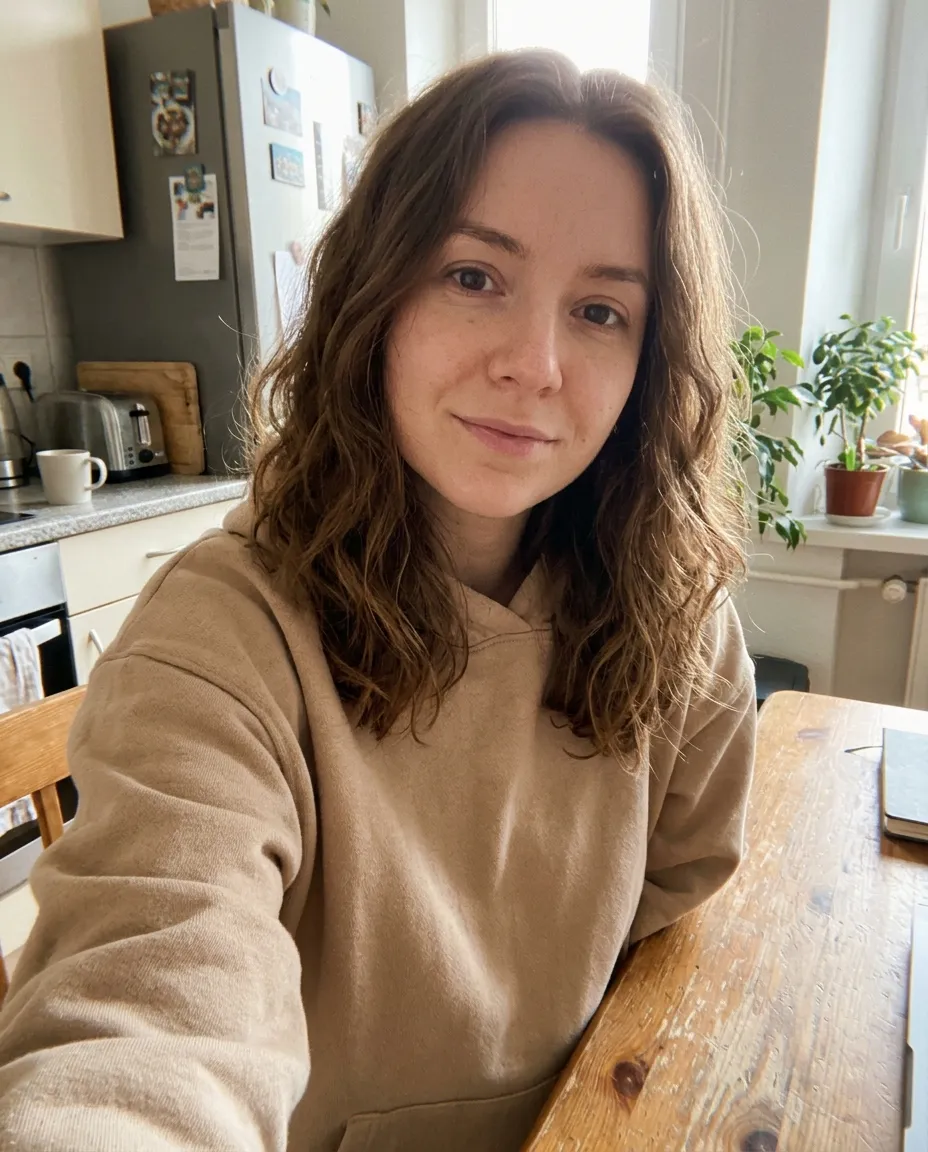
A realistic age filter, not a cartoon
Most age filters paint a few wrinkles over your face. This one redraws the signs of age the way they actually appear: lines around the eyes and mouth, a softer jawline, thinner skin, age spots and greying, then white hair, while the rest of the photo stays untouched.
Pick a target decade, from your 20s to your 80s. Go older for an old age filter or age progression photo, or pick 20s to see a younger you. Your face shape and features stay the same, so it still looks like you at every age. To change body shape rather than age, use the weight gain filter.
It runs on Google’s Nano Banana 2.1 image model at 2K, which keeps identity well across big changes like this.
One face across the decades
Real results from the filter. The clothes, pose and background stay put; only the age changes.
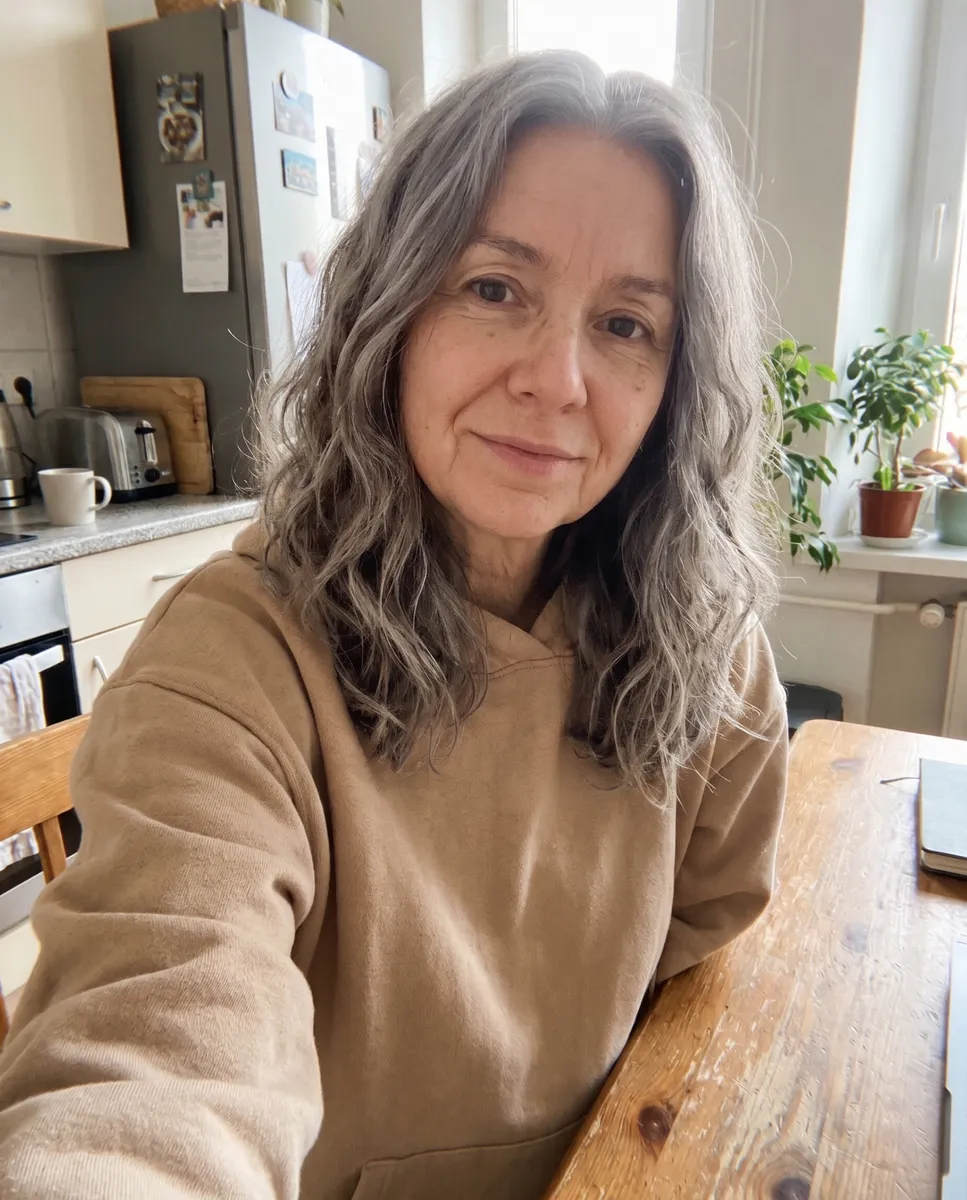
Late 20s to 60s
Clear lines around the eyes and mouth, a softer jaw and hair that is mostly grey.
Late 20s to 80s
Deep wrinkles, age spots and thin white hair, with the same smile.
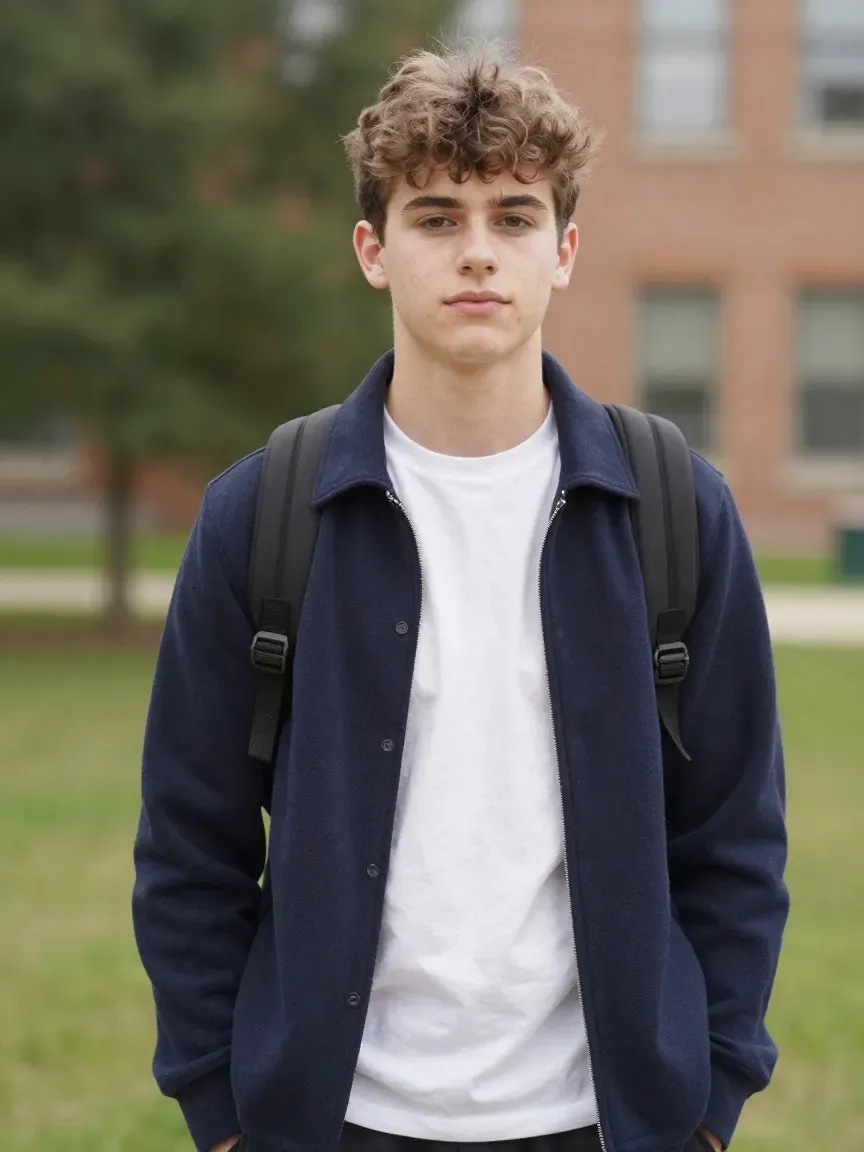
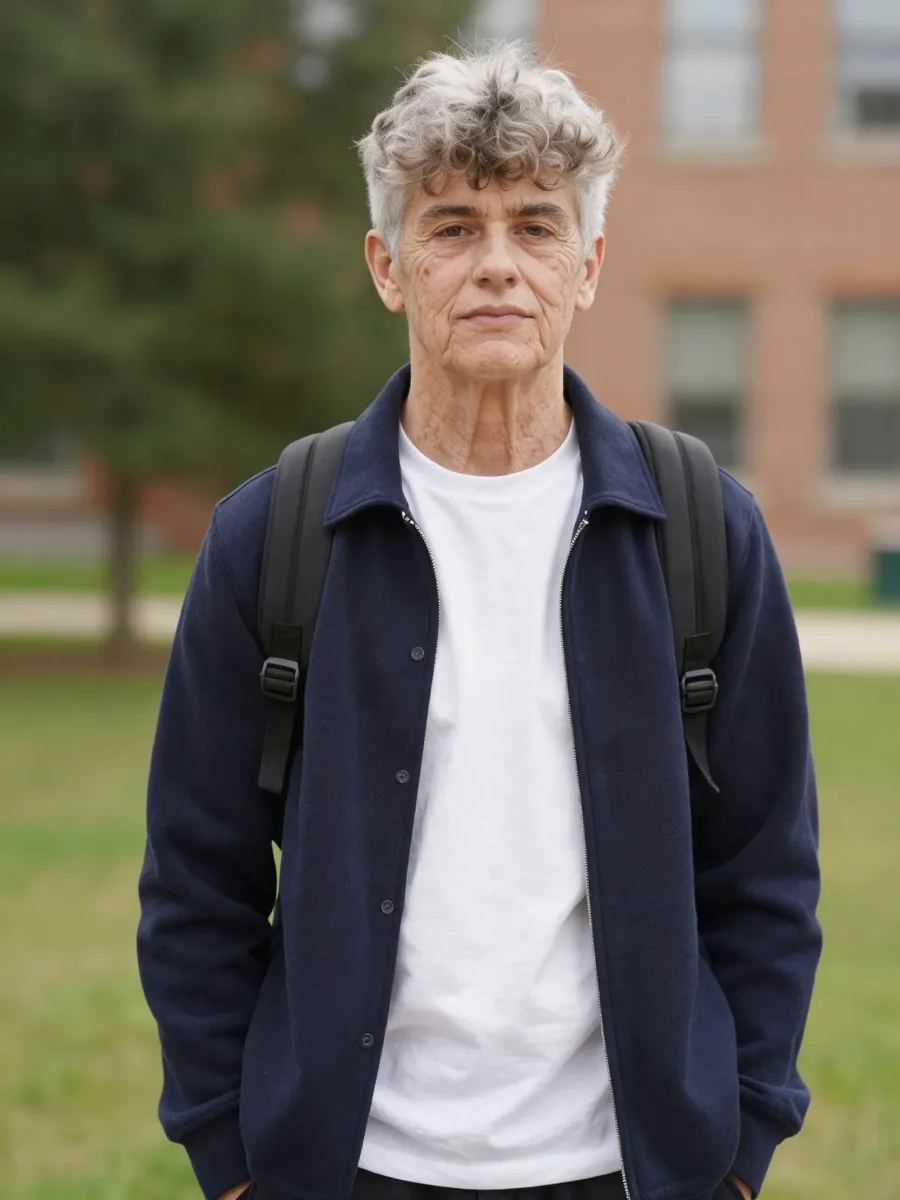
Teen to old age
An old age filter on a teenager: the same face, decades later.
What the age filter is good for
The searches this page answers, and how.
Old age filter
Pick 80s for the full effect people know from TikTok, from a still photo.
Age progression photo
Step through 40s, 60s and 80s to see how a face might change over time.
Younger filter
Pick 20s to smooth out lines and grey hair for a younger look.
Couples and family
Age you and your partner together for an “us in 50 years” photo.
Characters and film
Show a character at different ages for a story, storyboard or game.
Online, no app
Works in any browser on phone or desktop, with nothing to install.
How to use the age filter
- 01
Upload a photo
A clear photo of one person, face visible and well lit.
- 02
Pick an age
20s, 40s, 60s or 80s.
- 03
Generate
Your aged photo is ready in under a minute.
- 04
Compare and save
Flip between before and after, then download the 2K PNG.



Age filter FAQ
Something else? Email support@nano-banana.love.
How does the age filter work?
Upload a photo and pick a decade. An AI image model redraws the signs of age for that decade, like wrinkles, skin texture and grey or white hair, while it keeps your face, clothes, pose and background.
Is the age filter free online?
Each aged photo costs 2 credits. New accounts get 2 free credits on sign-up, enough for one to try it, as long as the account passes our one-per-person checks. After that you buy credits once and use them on any tool or model. There is no subscription.
Can it make me look younger?
Yes. Pick 20s to smooth lines and grey hair for a younger look. It works best when you are older than the target age.
How accurate is the old age filter?
It shows a realistic, plausible older version of you, not a prediction. Real ageing depends on genes, health and lifestyle, so treat it as a fun preview.
Does it work on group photos?
It is made for one person at a time. Crop the photo to the person you want to age for the best result.
Can I use it on someone else’s photo?
Only with their permission, and only of adults. You confirm you have the rights to the photo before you generate.
What happens to my photo?
Your photo is uploaded only to make your result. Uploads are deleted from our storage provider within about 24 hours, results stay downloadable in your account for 14 days, and we never use your photos to train AI models.

See yourself at 80
Upload a photo, pick an age and meet your future self in under a minute.
Start creating