
Image to Prompt
Upload any picture and get a prompt that describes it: subject, setting, composition, lighting and colours, in plain sentences any image generator understands. Copy it, tweak it, generate.
- 3 lengths
- 1 credit
- Copy in one click
- Moondream 3
Turn any picture into an AI prompt.
Sign in to use the tool. New accounts get free credits to try it.
Example
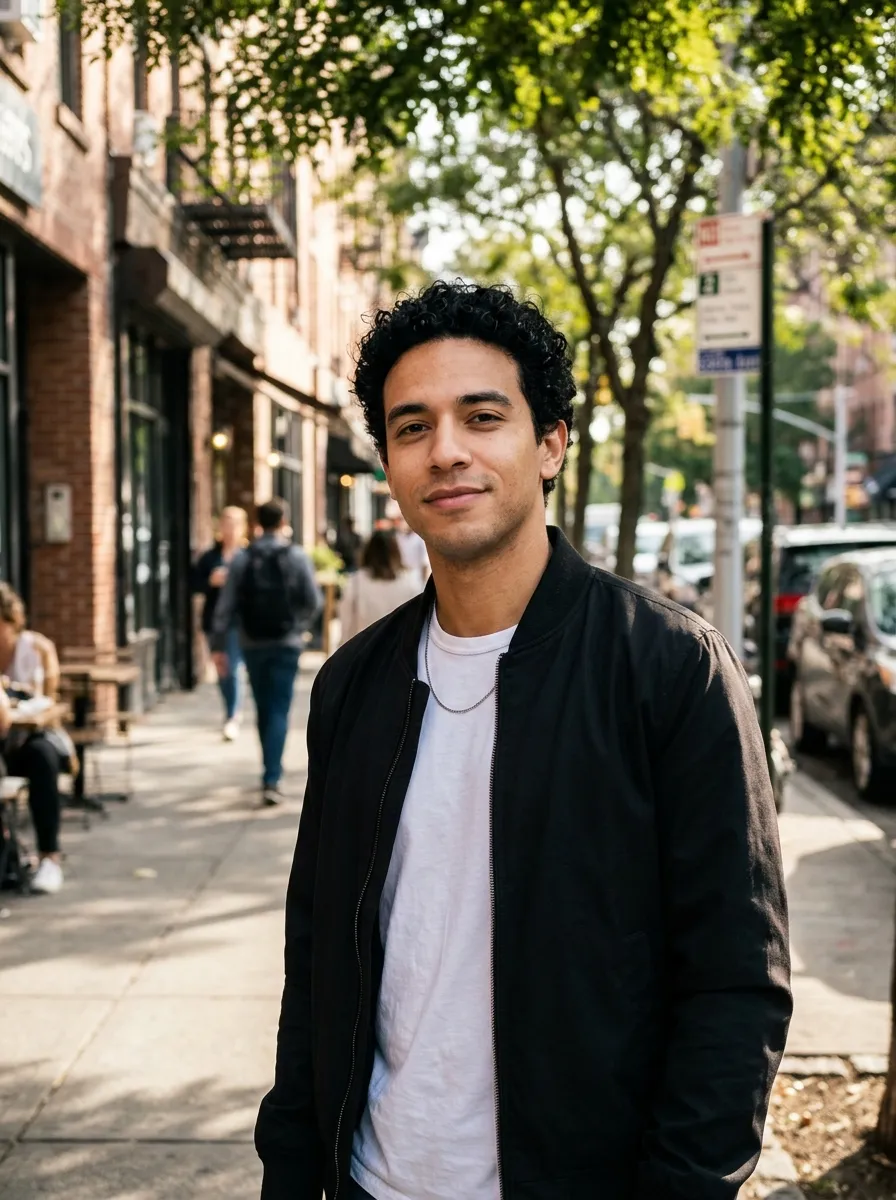
Reverse an image into a prompt
You found an image you love and want something like it, but writing a prompt that captures the look is the hard part. This prompt generator looks at the picture and writes the prompt for you, naming the details that matter: the subject, pose, setting, camera angle, light, colour palette, mood and medium.
Pick how long you want it. Long names every detail and makes the best prompt, Normal gives a short paragraph, and Short gives one line you can use as a caption or alt text. The prompt is written in plain sentences, which Nano Banana, GPT Image, Seedream and Midjourney all read well.
It runs on the Moondream 3 vision model, and costs 1 credit per image. Paste the result into the Nano Banana generator to make your own version. To reuse just the subject, remove the background first.
Prompt
A realistic portrait photograph of a young man with short curly black hair and warm skin standing on a city sidewalk. He wears a plain white t-shirt, a thin silver chain, and an open black bomber jacket, looking directly at the camera with a gentle smile. The background features a sunny urban street with brick buildings, green trees, parked cars, and blurred pedestrians. Shot at eye level with a shallow depth of field, dappled natural daylight filters through leaves, creating a bright, warm, and candid urban atmosphere.
What to turn into a prompt
The searches behind this page, and what the tool does for each.
Prompt from any picture
Recreate a style you saw online without guessing the words.
Prompt from image for Midjourney
Paste the prompt into Midjourney and add your own --ar and style parameters.
Image captions
Pick Short for a one-line caption for a post, a product listing or a dataset.
Image to text description
Use the description as alt text or a starting point for longer copy.
Learn prompt writing
See which details a good prompt names, and reuse the pattern.
Remix your own images
Describe your photo, change one detail in the prompt, and generate a new take.
How to get a prompt from an image
- 01
Upload an image
A photo, AI art, illustration or screenshot.
- 02
Pick a length
Long, Normal or Short.
- 03
Get the prompt
The prompt appears in a few seconds.
- 04
Copy and generate
Copy it into your generator, or open the Nano Banana generator here.
Image to text prompt FAQ
Something else? Email support@nano-banana.love.
How does the prompt generator work?
Upload an image and pick a length. A vision AI model studies the picture and writes a description of the subject, setting, composition, lighting and colours, ready to paste into an image generator as a prompt.
Is it free to turn an image into a prompt?
Each prompt costs 1 credit. New accounts get 2 free credits on sign-up, enough for 2 to try it, as long as the account passes our one-per-person checks. After that you buy credits once and use them on any tool or model. There is no subscription.
Which image generators do the prompts work with?
The prompt is written in plain sentences, which Nano Banana, GPT Image, Seedream, Midjourney and most modern generators read well. For Midjourney, add your own --ar and style parameters at the end.
Will the prompt recreate the exact image?
No generator recreates an image exactly from text, but a detailed prompt gets you close to the same subject, look and mood. Edit the prompt to change what you like.
Does it name people in the image?
It describes what is visible, like hair, clothing and expression, rather than who someone is. Check the prompt before you use it and remove any names or brand names you do not want.
Can I use it on any image?
Use images you have the right to use. The prompt itself is yours to use and edit.
What happens to my image?
Your image is uploaded only to make your result. Uploads are deleted from our storage provider within about 24 hours, results stay downloadable in your account for 14 days, and we never use your images to train AI models.

Turn your image into a prompt
Upload a picture and get a prompt you can paste into any generator in seconds.
Start creating