
AI Smile Filter
Upload a photo where the expression fell flat and the smile filter gives it a soft, natural or big smile. The cheeks and eyes move with the mouth, so it looks real, and the rest of the photo stays as it was.
- 3 smiles
- 2K output
- PNG download
- Nano Banana 2.1
Add a natural smile to any photo.
Sign in to use the tool. New accounts get free credits to try it.
Example
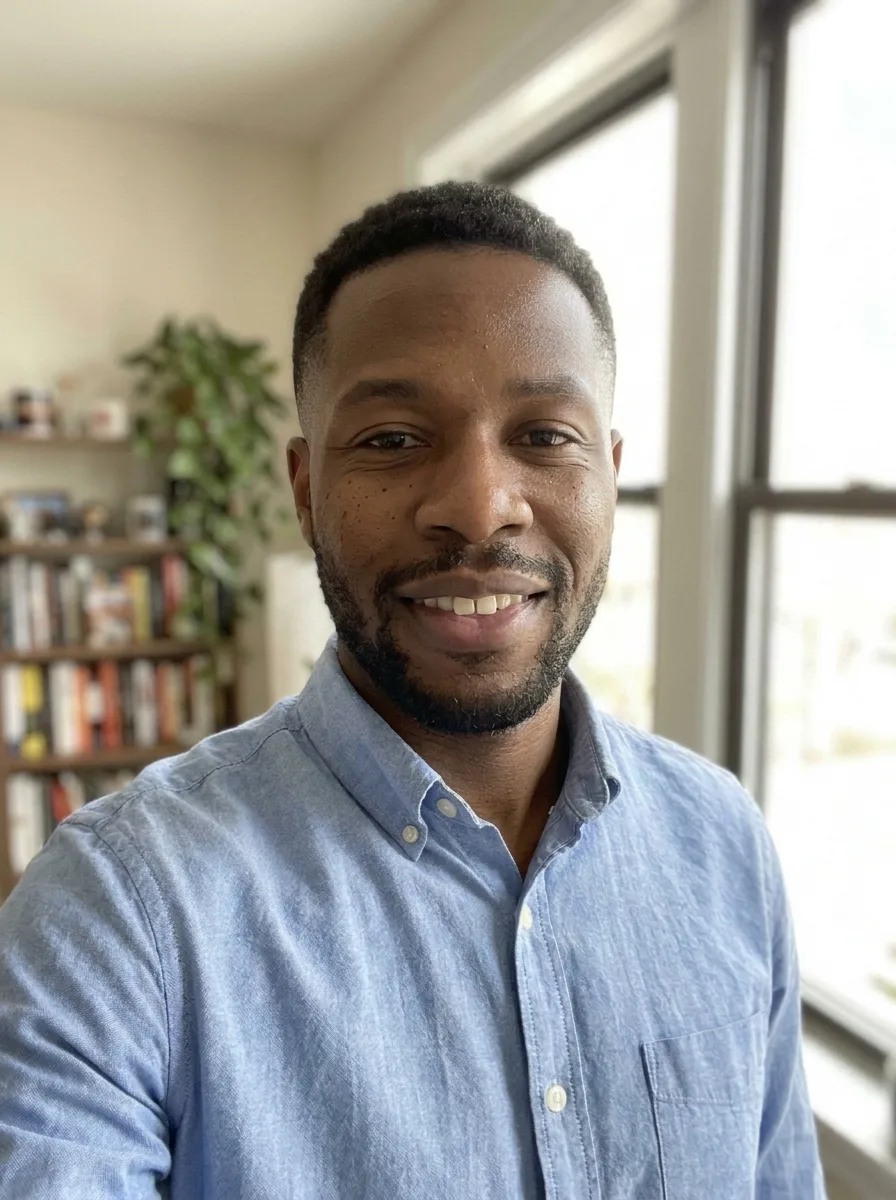 Example · Natural
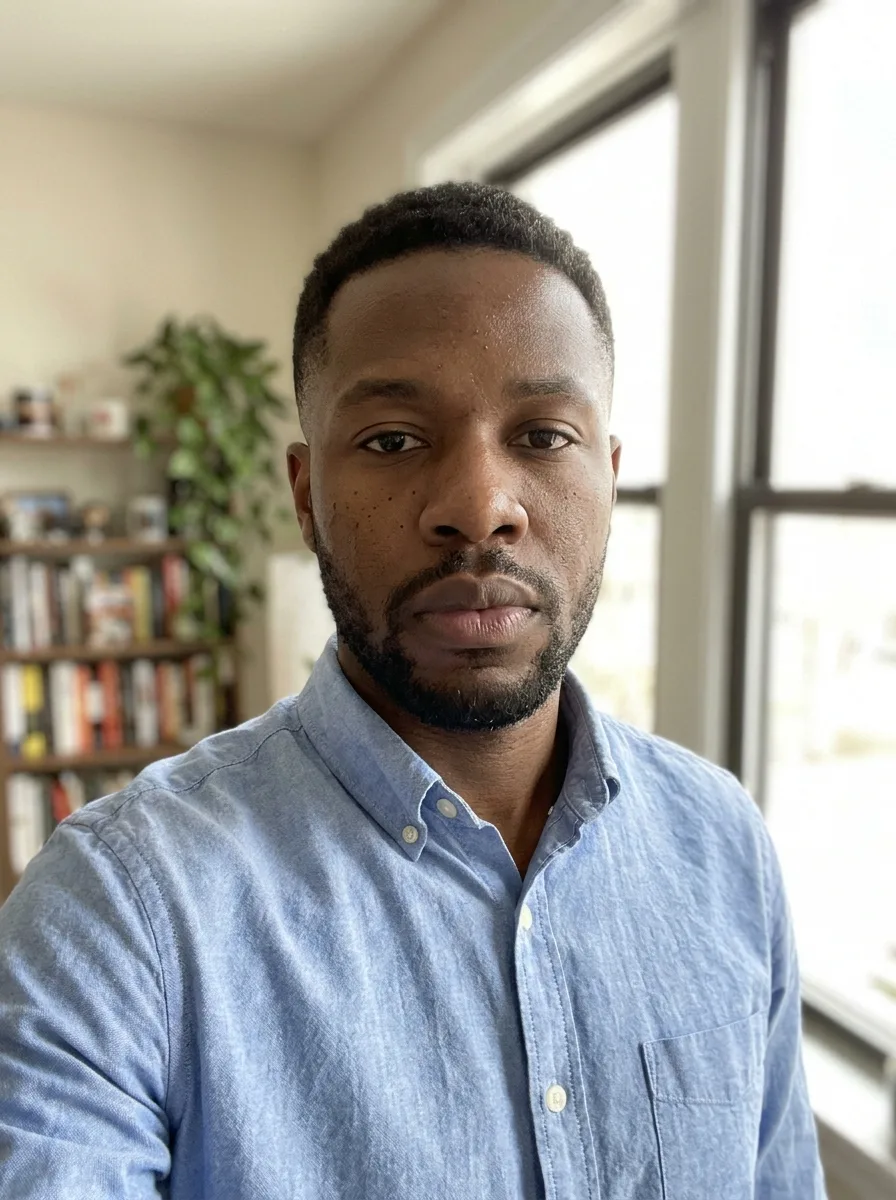
A smile that reaches the eyes
A real smile is more than curved lips: the cheeks lift and the corners of the eyes crinkle. Simple smile filters bend the mouth and leave the rest of the face frozen, which is why they look off. This smile filter redraws the whole expression, mouth, cheeks and eyes together, and leaves everything else in the photo alone.
Pick how much: a soft, closed-mouth smile for a profile or work photo, a natural smile with a little teeth, or a big laughing smile. In a group photo everyone gets the smile, which fixes the one person who was not ready. For a cleaner skin finish on the same photo, run the natural beauty filter as well.
It runs on Google’s Nano Banana 2.1 image model at 2K, which keeps faces recognisable through small edits like this.
One photo, a better smile
Real results from the filter. The face, hair, clothes and background stay the same; only the expression changes.
Natural smile
A warm smile with a little teeth, lifted cheeks and soft lines at the eyes. The one most people pick.
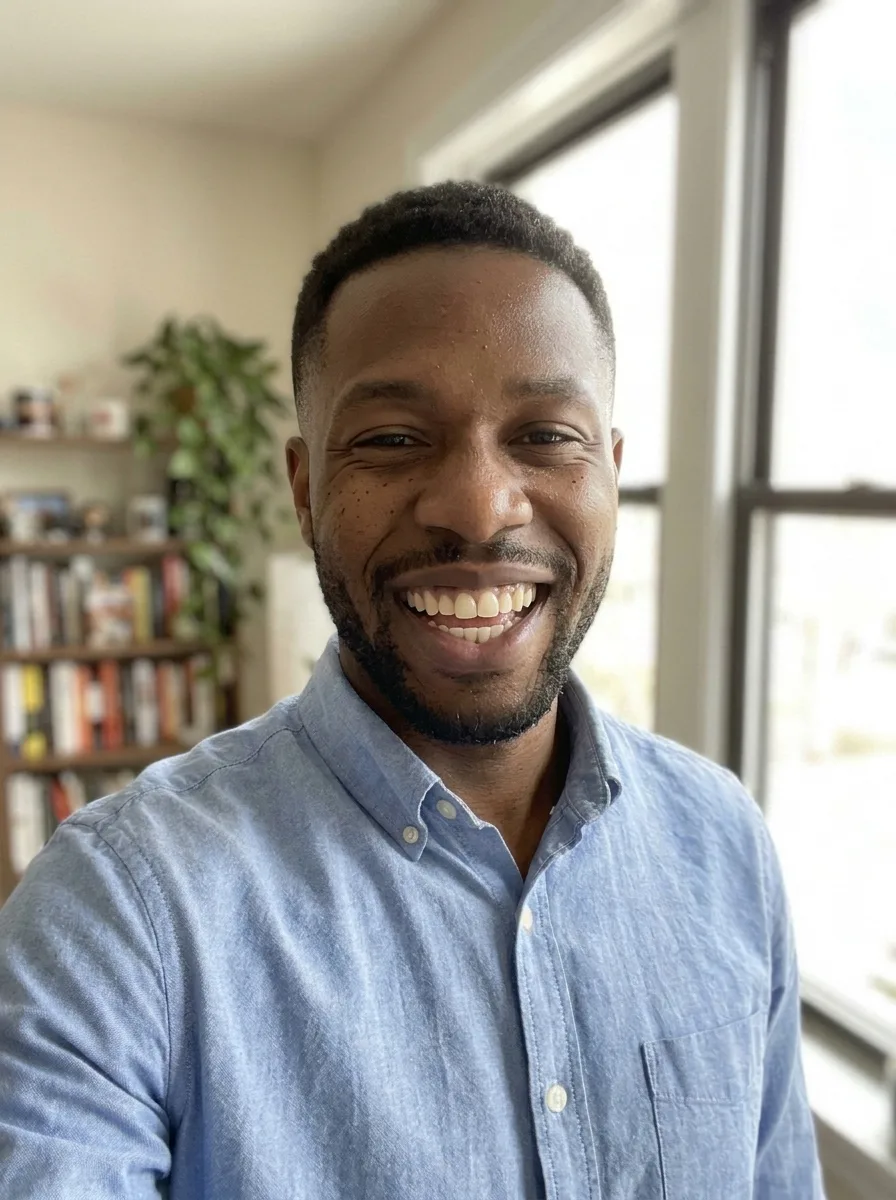
Big smile
An open, laughing smile for a happy post or a fun profile picture.
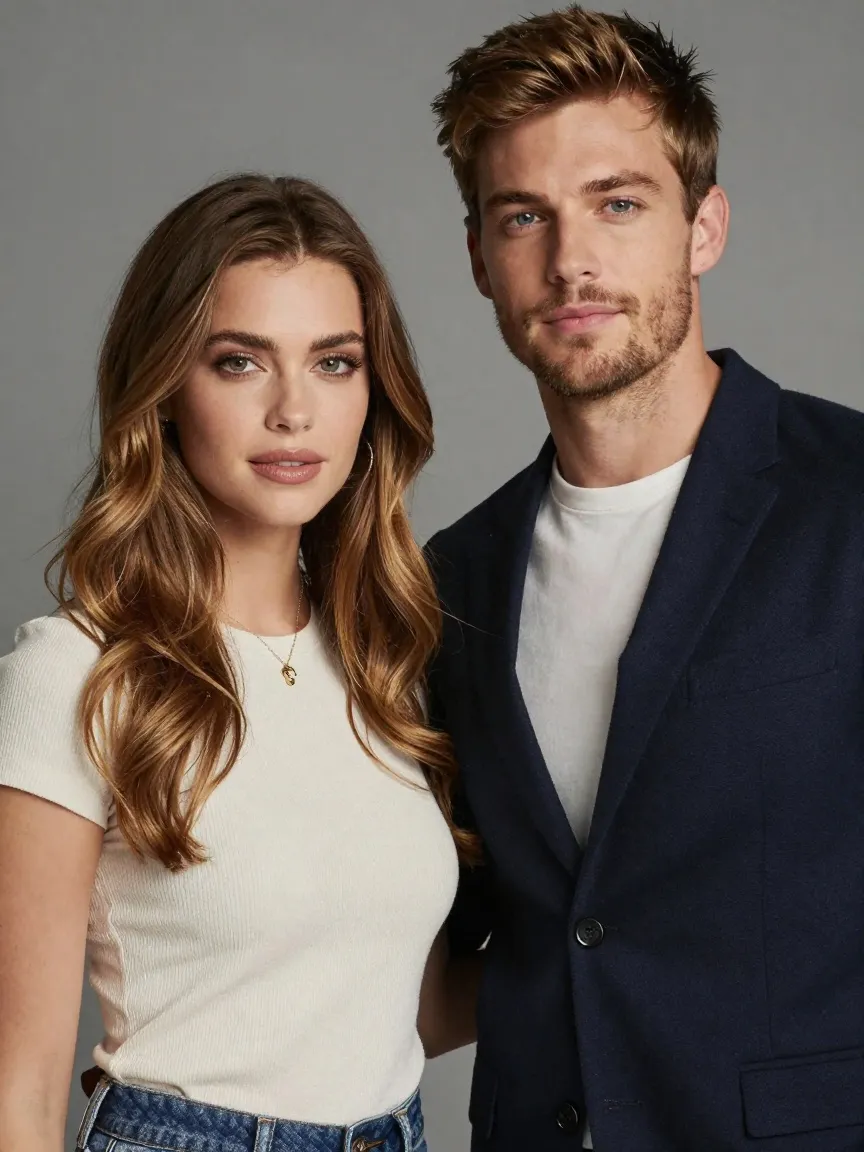
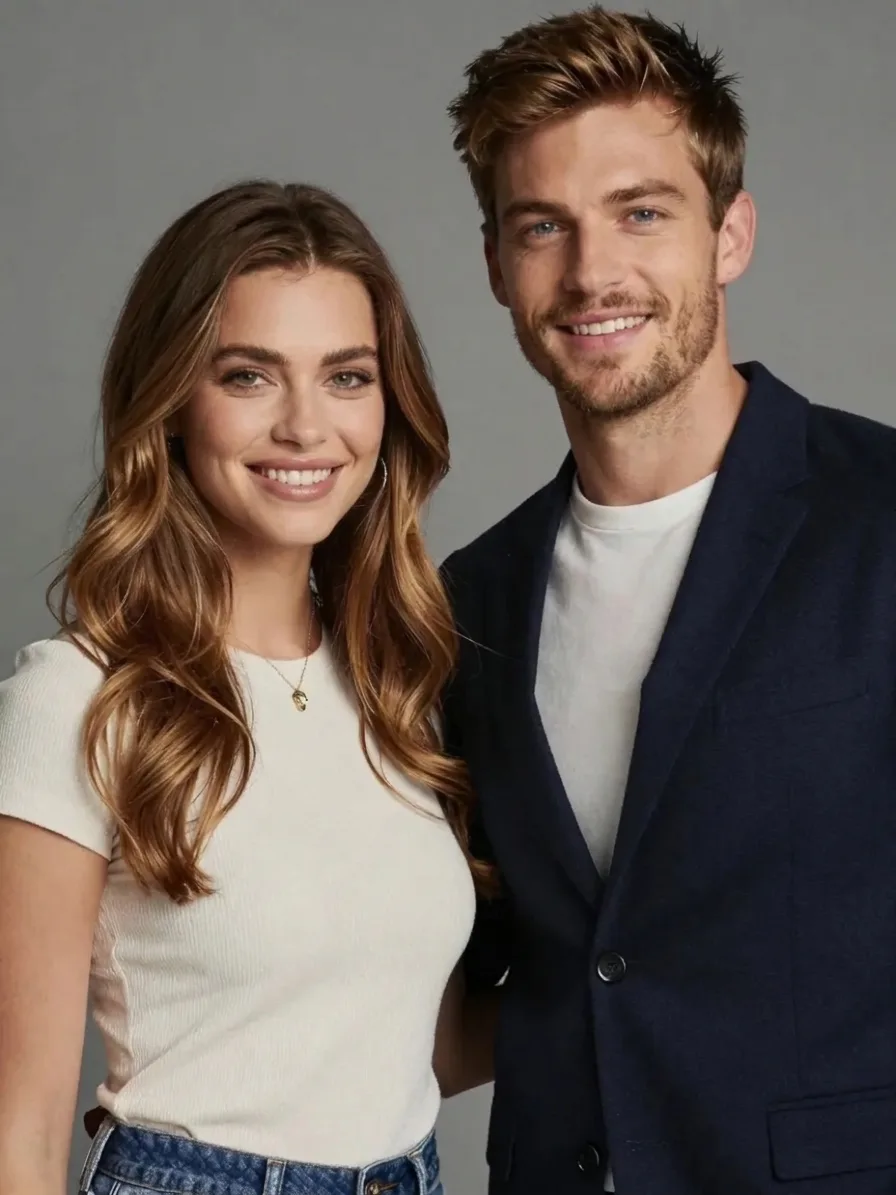
Group photo
Two serious faces, one click: both people smile, and neither looks like someone else.
What people use the smile filter for
The searches this page answers, and how.
Add a smile to a photo
Keep a photo you like and fix only the expression, with no reshoot.
Group photos
Get everyone smiling in the same shot, including the one person who was not ready.
Profile and work photos
A soft smile makes a LinkedIn, team page or dating photo look friendlier.
Make me smile
Turn a serious selfie into a happy one for a post or a profile picture.
Stiff portraits
Warm up a formal family or graduation portrait where everyone looks tense.
Online, no app
Works in any browser on phone or desktop, with nothing to install.
How to add a smile to a photo
- 01
Upload a photo
Faces clear and well lit. One person or a group.
- 02
Pick a smile
Soft, Natural or Big.
- 03
Generate
Your smiling photo is ready in under a minute.
- 04
Compare and save
Flip between before and after, then download the 2K PNG.

Smile filter FAQ
Something else? Email support@nano-banana.love.
How does the smile filter work?
Upload a photo and pick a smile. An AI image model redraws the expression, the mouth, cheeks and the area around the eyes, and keeps the face, hair, clothes, pose and background as they were.
Is the smile filter free?
Each smiling photo costs 2 credits. New accounts get 2 free credits on sign-up, enough for one to try it, as long as the account passes our one-per-person checks. After that you buy credits once and use them on any tool or model. There is no subscription.
Will it still look like me?
Yes. The filter changes only the expression and keeps your face shape, eyes and skin tone. A big smile moves more of the face than a soft one, so pick Soft or Natural when the photo has to look exactly like you.
What about my teeth?
If your mouth is closed in the original photo, the AI has to draw teeth for Natural and Big, so they may not match yours exactly. Pick Soft for a closed-mouth smile that keeps your own lips.
Does it work on group photos?
Yes. Everyone in the photo gets the smile you pick. Faces that are very small or turned away may change less, so a photo where each face is clear works best.
Can I use it on someone else’s photo?
Only with their permission, and only of adults. You confirm you have the rights to the photo before you generate.
What happens to my photo?
Your photo is uploaded only to make your result. Uploads are deleted from our storage provider within about 24 hours, results stay downloadable in your account for 14 days, and we never use your photos to train AI models.

Give your photo a smile
Upload a photo, pick a smile and get it back in under a minute.
Start creating