
ChatGPT Sweater Prompt
The sweater trend turns one selfie into a black-and-white studio portrait where the only color is an oversized knit sweater, its long sleeves pulled up over your face. Copy the full prompt below for ChatGPT or Gemini, or upload a photo here, pick a color and get the portrait in under a minute.
- 6 colors
- 9:16 portrait
- 2K output
- Nano Banana 2.1
The viral sweater portrait from one selfie.
Sign in to use the tool. New accounts get free credits to try it.
Example
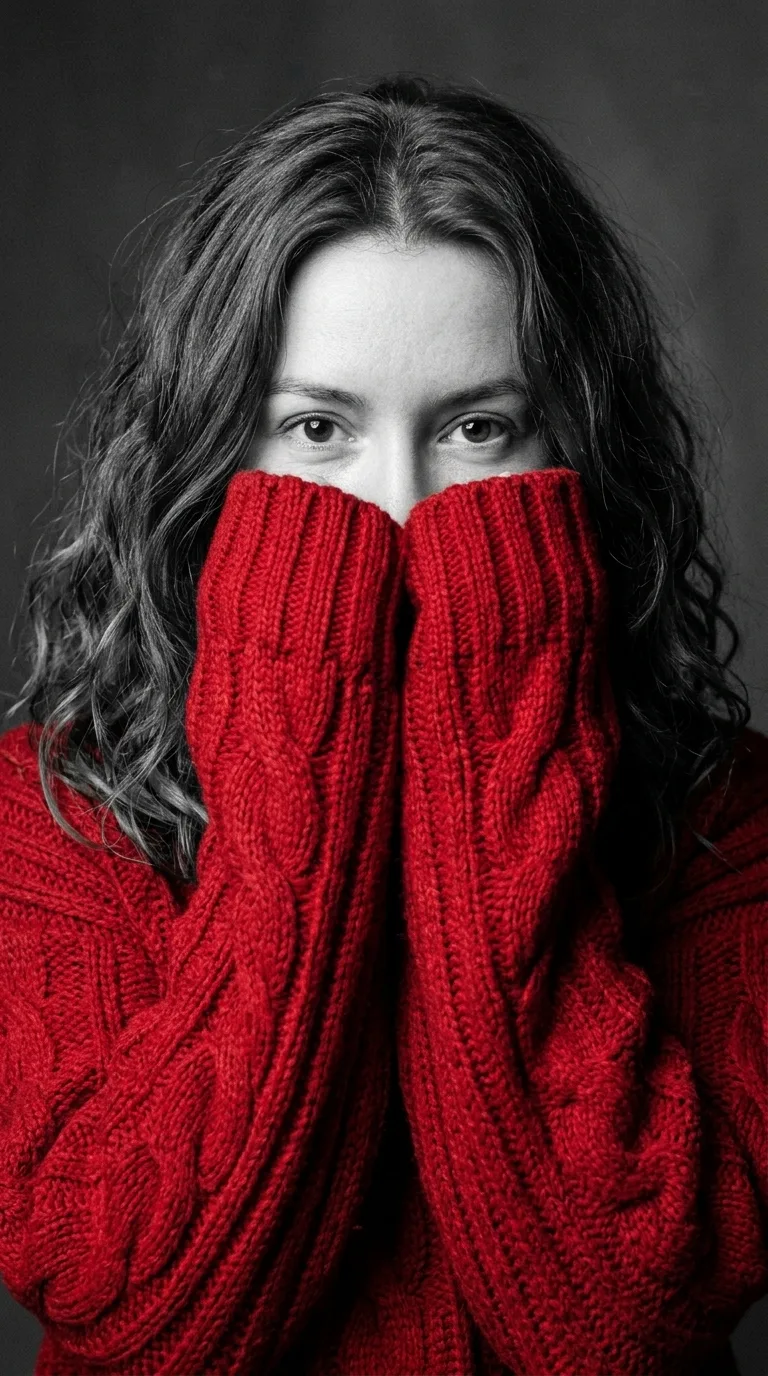 Example · Red
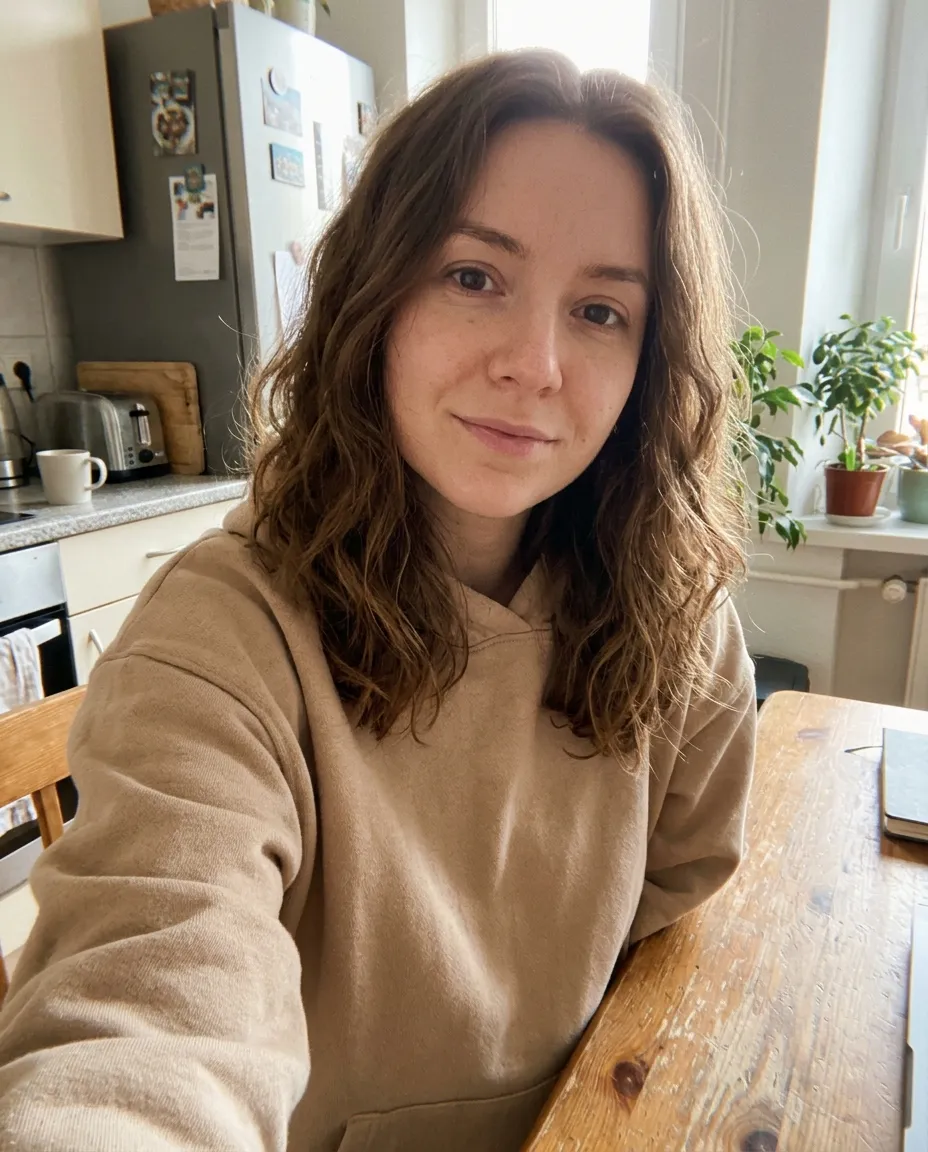
The full sweater trend prompt to copy
Paste it into ChatGPT or Gemini with your photo attached. The tool above runs this same text.
Prompt
Use my attached photo as the face reference and keep my face exactly the same: the same face shape, eyes, eyebrows, nose, skin and hair, so anyone who knows me would recognise me instantly. Create a dramatic black-and-white studio portrait with one pop of colour. I am wearing an oversized, chunky cable-knit red sweater with extra-long, thick sleeves that cover my hands. I hold both hands up to my face so the sleeves cover my mouth and nose, and only my eyes look straight into the camera over the knit. Everything is black and white, including my skin, hair, eyes and the plain grey studio background. Only the sweater is in rich red. Close-up from the chest up, soft directional studio light, fine film grain, sharp focus on the eyes and visible knit texture. Vertical 9:16, photorealistic. No text, no watermark.
For another color, replace “red” in both places with “emerald green”, “soft pink” or any color you like. To keep your natural eye color, take “eyes” out of the black-and-white list and add “keep my natural eye color”.
What is the ChatGPT sweater trend?
The ChatGPT sweater trend is an AI photo trend from November 2026, shared on TikTok, Instagram and Facebook. You upload a selfie to ChatGPT or another image AI with one prompt, and you get back a dramatic black-and-white studio portrait. The only color in the picture is a huge, chunky cable-knit sweater, and its extra-long sleeves cover your mouth and nose so only your eyes show.
The look works because of selective color: a gray face and background make one bold sweater color stand out. Red is the classic, and burgundy, pink, royal blue, emerald green and mustard yellow are the other colors people post most. Some posts call it the sweater challenge or the red sweater challenge, but it is the same picture.
You can do it for free in ChatGPT or the Gemini app with the prompt on this page, within their daily image limits. The tool above runs the same prompt on Google’s Nano Banana 2.1 model at 2K, so you only pick a color. For a polished work photo instead, try the selfie to headshot tool.
ChatGPT is a trademark of OpenAI, and Gemini is a trademark of Google. This site is not affiliated with OpenAI or Google. The tool on this page runs on Nano Banana 2.1, not on ChatGPT.
The AI sweater trend in six colors
Real results from the same selfie with the same prompt. Only the sweater color changes.
Red sweater
The original look of the trend. A deep red reads strongest against the black-and-white face and works for a Christmas profile picture.
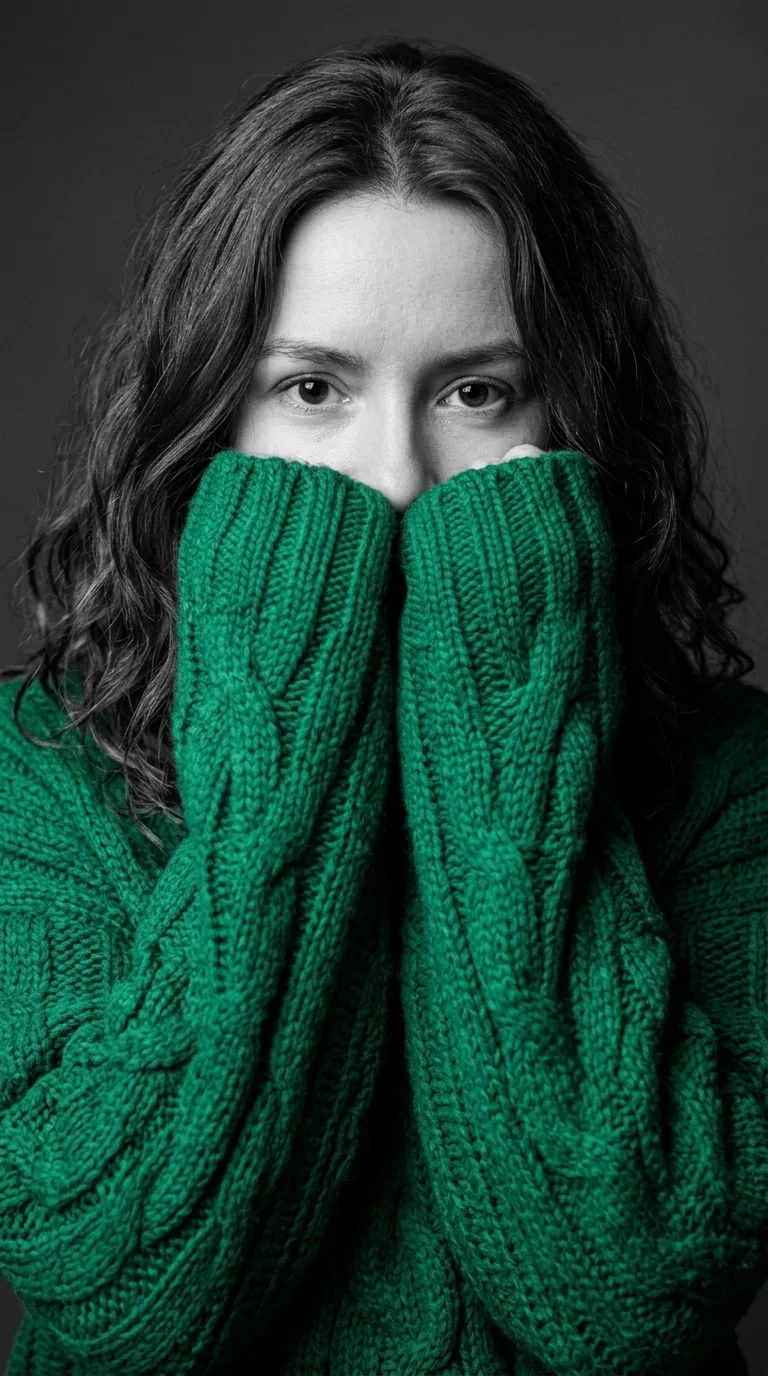
Emerald green sweater
A cool color looks calmer and more editorial than red. Emerald green suits a winter or Christmas post without looking like the classic red version.

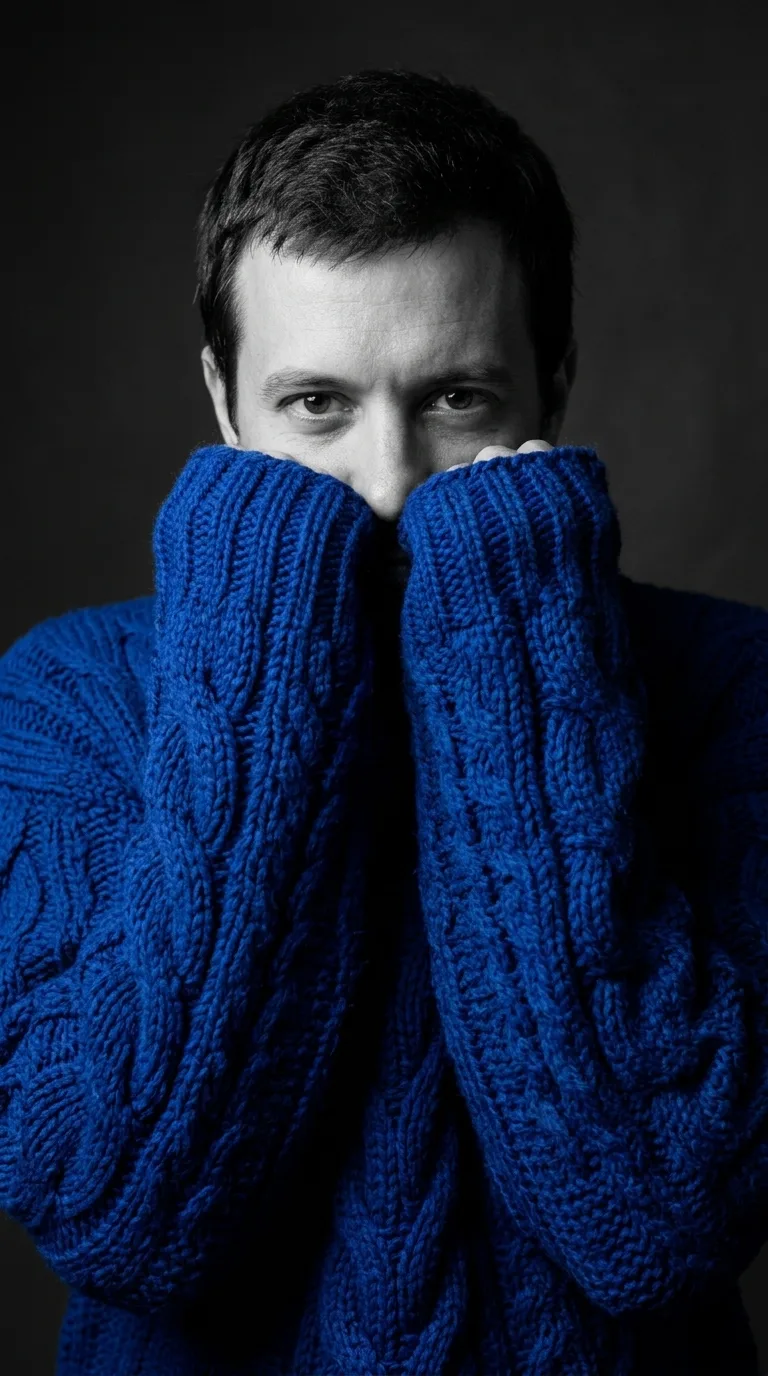
The sweater portrait for men
The prompt works the same on a man’s photo, even a full-length shot in a T-shirt. The AI changes the clothes, the pose and the framing, and keeps the face.
Ways to use the sweater portrait
What people search for around the trend, and how this page covers it.
The sweater trend prompt
The full prompt is on this page in plain text. Copy it and paste it into ChatGPT or Gemini with your photo.
A sweater prompt generator
Pick one of six colors here and the tool fills the prompt in and makes the picture, so there is nothing to edit.
Winter and Christmas profile pictures
A red or green sweater portrait makes a seasonal profile picture for Instagram, Facebook, TikTok or WhatsApp.
Stories and TikTok posts
The result is a vertical 9:16 image, the shape of a Story or a TikTok photo post, with no cropping needed.
Matching portraits
Run the same color for friends, couples or a team, one photo each, for a set of portraits that look alike.
No ChatGPT account needed
The tool runs in any browser on phone or desktop. There is no daily image cap: each portrait costs credits instead.
How to do the sweater challenge with your photo
- 01
Upload a selfie
One person, facing the camera, with the eyes clear and well lit.
- 02
Pick a sweater color
Red, burgundy, pink, royal blue, emerald green or mustard yellow.
- 03
Generate
The black-and-white portrait is ready in under a minute.
- 04
Download and post
Save the 2K PNG in 9:16 and share it as a Story or a profile picture.

AI sweater trend FAQ
Something else? Email support@nano-banana.love.
What is the sweater trend prompt?
The sweater trend prompt is a text prompt you paste into ChatGPT with a selfie attached. It asks for a black-and-white studio portrait where only an oversized knit sweater is in color, with the sleeves pulled up over the mouth and nose. The full prompt is on this page, ready to copy.
How do I do the sweater trend in ChatGPT?
To do the sweater trend in ChatGPT, open a new chat, attach a clear selfie with the paperclip or plus button, paste the sweater prompt from this page and send it. If the face does not look like you, reply “keep my face exactly the same as the photo” and ask again.
Does the sweater prompt work in Gemini?
Yes. The sweater prompt works in the Gemini app the same way it works in ChatGPT: attach your photo, paste the prompt and send it. Gemini makes images with Google’s Nano Banana models, the same family the tool on this page uses, so the results look alike.
Is the sweater trend free?
The sweater trend is free to try in ChatGPT and in the Gemini app, which both give free accounts a limited number of images per day. The tool on this site is paid in credits. Each sweater portrait costs 2 credits. New accounts get 2 free credits on sign-up, enough for one to try it, as long as the account passes our one-per-person checks. After that you buy credits once and use them on any tool or model. There is no subscription.
Why are my eyes still in color?
Your eyes stay in color when a sweater prompt asks only for a black-and-white face and background and does not mention the eyes. The prompt on this page lists the eyes too, so they come out black and white. If you want your natural eye color instead, change “including my skin, hair, eyes” to “including my skin and hair, but keep my natural eye color”.
Which sweater color works best?
Red is the classic sweater trend color and stands out most against a black-and-white face. Burgundy looks darker and moodier, emerald green and royal blue look cooler and more editorial, and pink and mustard yellow look softer and warmer. Any strong, saturated color works better than gray, beige or black.
Does the sweater portrait work for men, couples and pets?
The sweater portrait works for men exactly as it does for women. The tool here makes one person per picture, so for a couple, run each photo with the same color. The prompt is written for a person’s hands; for a pet, paste it into the Nano Banana image generator on the home page and change hands to paws.
Can I use someone else’s photo?
Only with their permission, and only of adults. You confirm you have the rights to the photo before you generate.
What happens to my photo?
Your photo is uploaded only to make your result. Uploads are deleted from our storage provider within about 24 hours, results stay downloadable in your account for 14 days, and we never use your photos to train AI models.

Make your sweater portrait
Upload a selfie, pick a color and get the black-and-white portrait in under a minute.
Start creating