
Edit Text in Image
Upload a picture, type the words you want, and get the same picture back with the new text in under a minute. The AI copies the original lettering: the font or handwriting, color, size, perspective and texture, so chalk stays chalky and a shirt print follows the folds. Everything else in the image stays as it was.
- Same font and style
- Signs, posters, shirts
- 2K output
- Nano Banana 2.1
Change the words in any picture, same font.
Sign in to use the tool. New accounts get free credits to try it.
Example
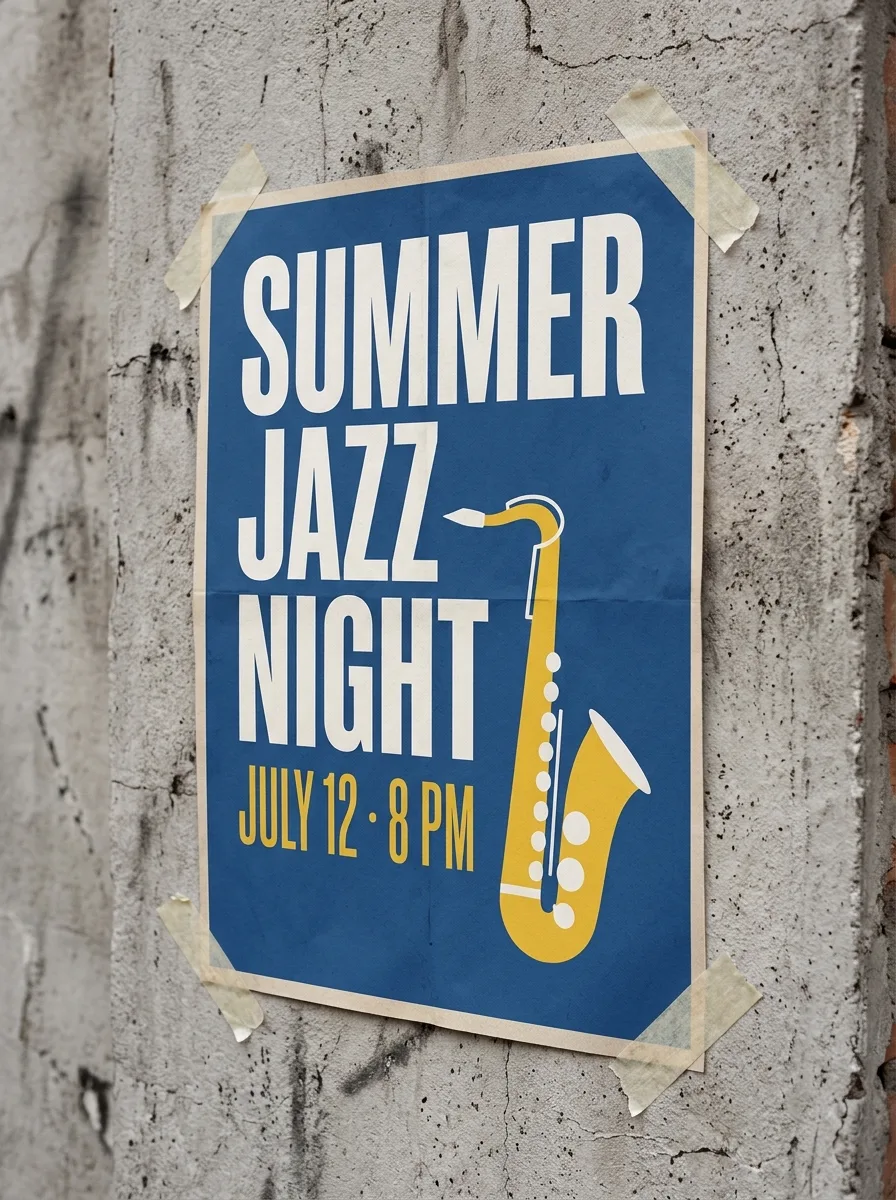
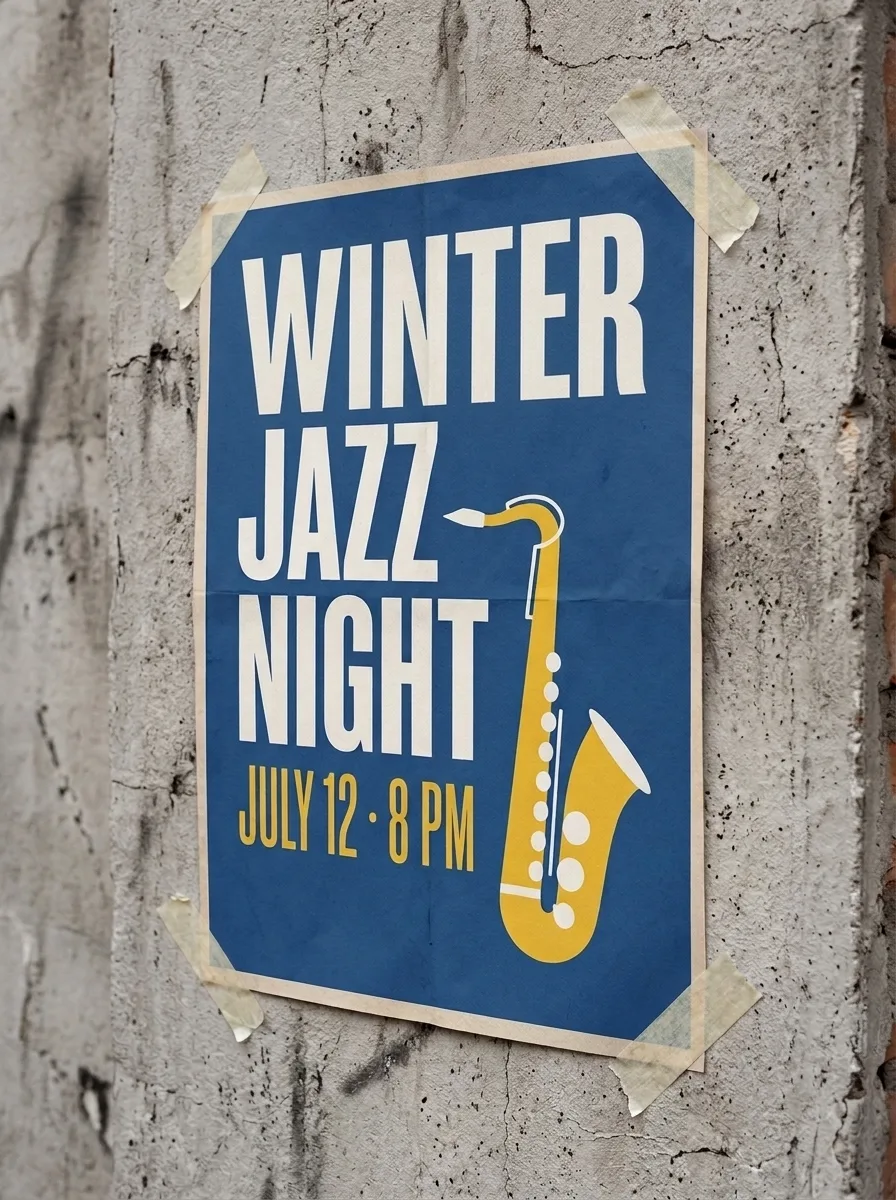 Example · Summer → Winter
How does the AI image text editor work?
The text editor on this page changes the words in a picture and keeps everything else. You upload an image, type the text to replace and the new text, and click Generate. Google’s Nano Banana 2.1 image model repaints only that lettering, in the same font or handwriting, color, size, perspective and texture. The result is a 2K image in the shape of the original, ready in under a minute.
It works best on short, clear text: a word or a line on a sign, a poster headline, a menu board, a T-shirt print, a product label or a social media graphic. Hand lettering, curved and angled text, and prints on fabric work too, because the model repaints the letters instead of pasting a font on top. Long paragraphs, tiny print and dense tables are harder. The model can misspell a word or change a nearby one there, so check the result before you use it.
Editable-text tools work differently. Canva’s Grab Text, a Pro feature, turns the words in an image into a text layer you can retype, and Photoshop’s Match Font finds an installed font that looks like the lettering. Those give you exact control over the font and layout, which suits designers with clean, flat graphics. An AI repaint is faster and also matches lettering that no font file has, such as chalk, paint or a printed shirt. To cut the edited object out afterwards, use the transparent background maker.
Canva and Photoshop are trademarks of their owners, and this site is not affiliated with them. Results are AI-generated images and carry Google’s invisible SynthID watermark.
Change text in a photo: before and after
Real results from the tool. Only the words typed into it changed; the rest of each image is untouched.
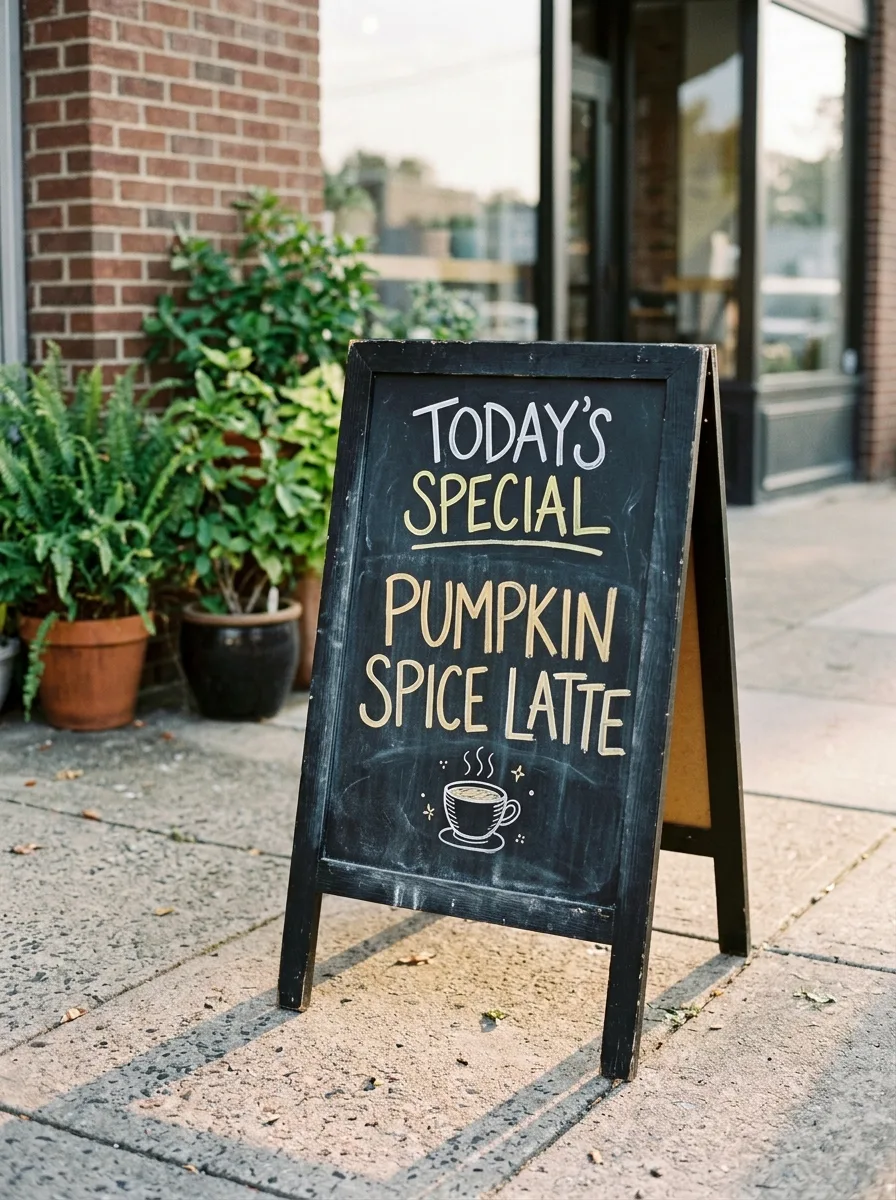
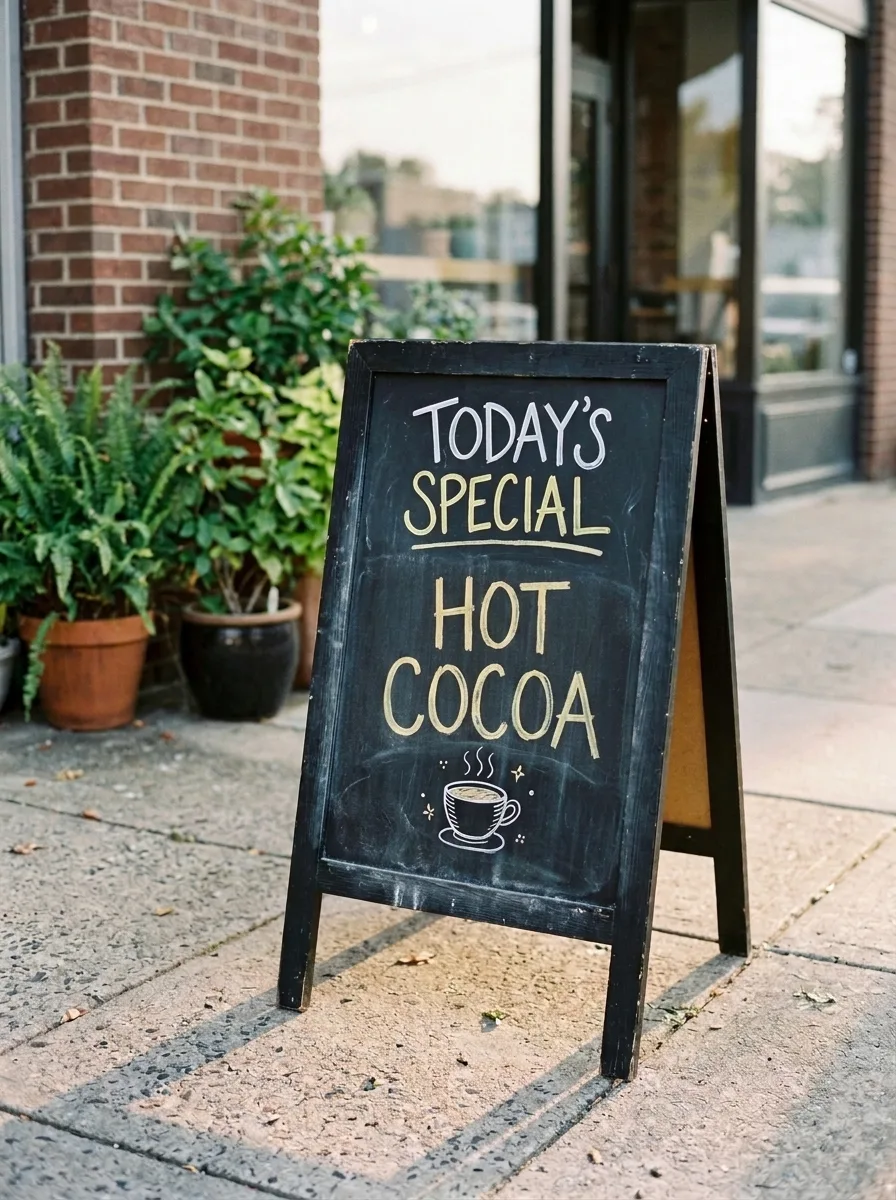
Chalkboard menu
“PUMPKIN SPICE LATTE” became “HOT COCOA” in the same hand-drawn chalk letters. “TODAY’S SPECIAL”, the cup doodle, the plants and the street stayed the same.
Event poster
“SUMMER” became “WINTER” in the same condensed white type. Only the headline was asked for, so the date, the saxophone, the tape and the wall did not change.
T-shirt print
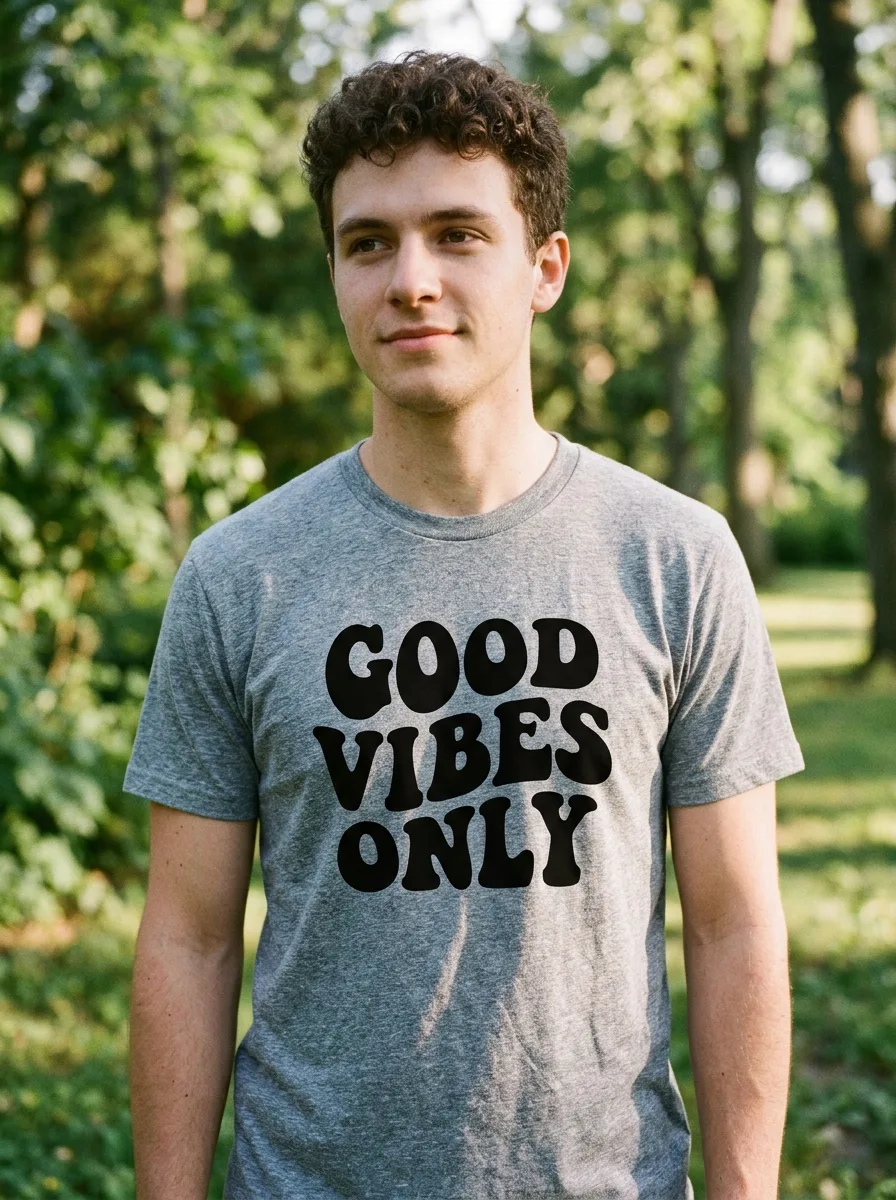
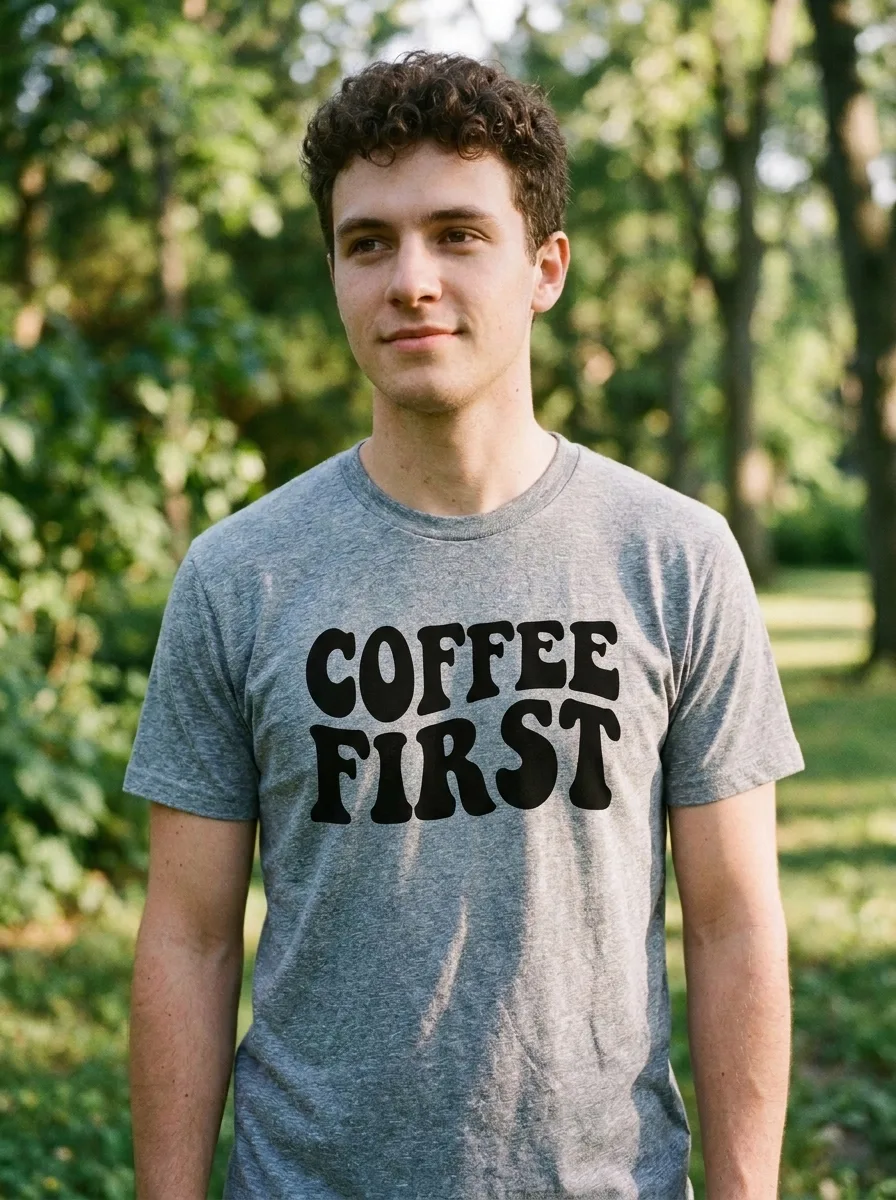
“GOOD VIBES ONLY” became “COFFEE FIRST” in the same wavy retro font, following the folds of the shirt. The face, hair and park stayed the same.
Shop sign at an angle
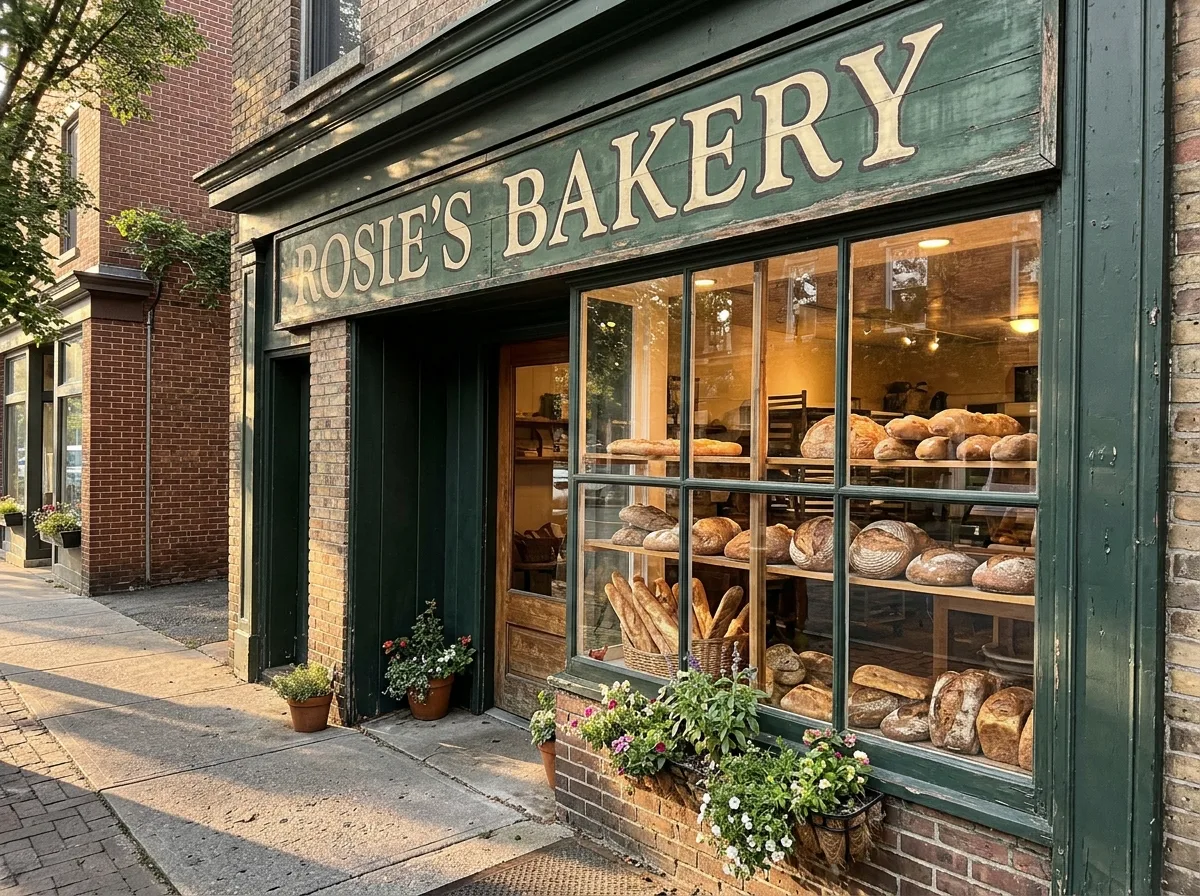
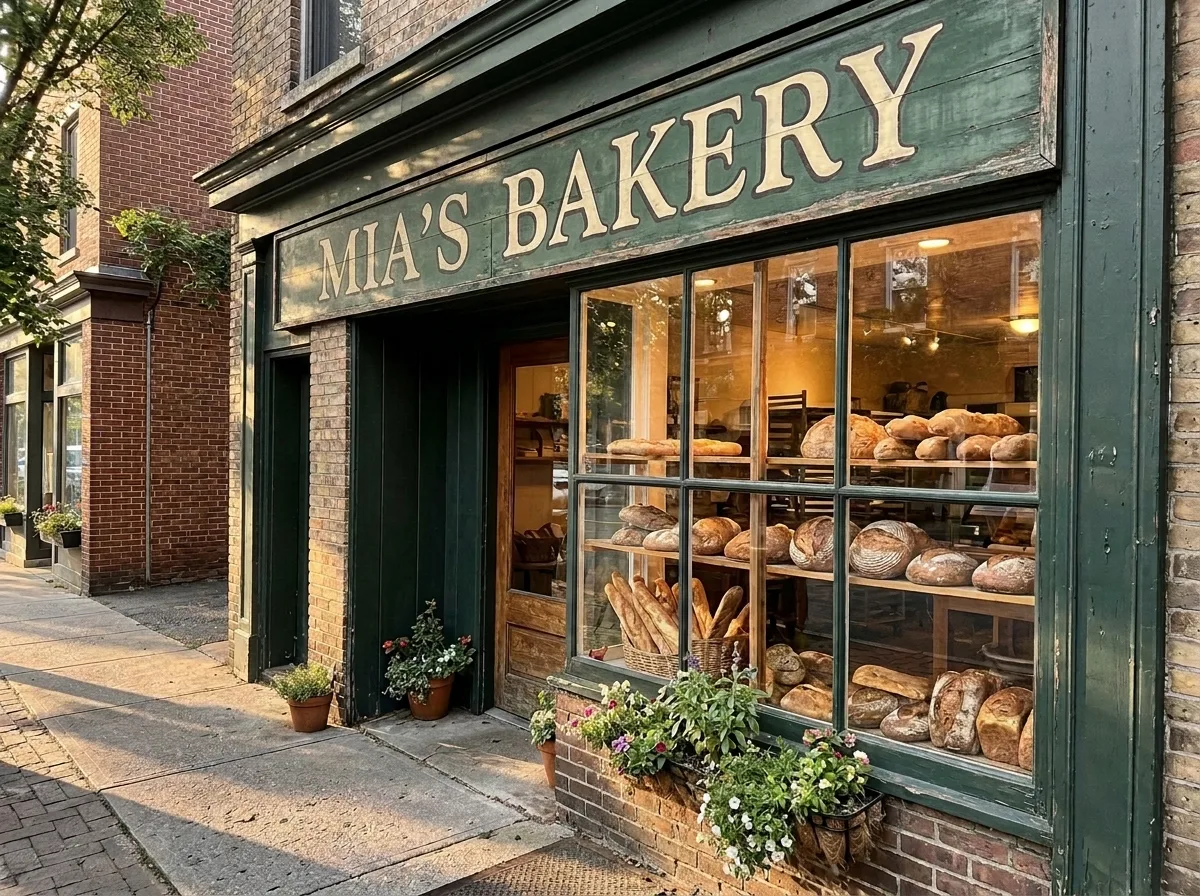
“ROSIE’S” became “MIA’S” on a painted sign seen from the sidewalk. The cream serif letters keep the sign’s perspective and worn paint, and “BAKERY” is untouched.
What people use an image text editor for
The searches behind this page, and how the tool handles each one.
Fix a typo in a graphic
Correct a misspelled word on a poster, banner or social post when the design file is gone.
Update a date or a menu item
Change an event date on a flyer or a dish on a chalkboard photo, in the same lettering.
Edit text on clothing
Preview a new slogan on a T-shirt, hoodie, mug or tote before printing it.
Rename a sign
Try a new shop or brand name on a real photo of the sign or storefront.
Translate a short line
Type the translation as the new text to localize a poster, an ad or a product shot.
Memes and mockups
Swap the words in a meme or a product mockup while keeping the original style.
How to change text in an image
- 01
Upload an image
A JPG, PNG or WebP with the text you want to change clearly visible.
- 02
Type the text
The words to change, exactly as they appear, and the new words. Leave the first box empty if there is only one piece of text.
- 03
Generate
The edited image is ready in under a minute, in the same shape as the original.
- 04
Compare and download
Check the spelling against Before, then save the 2K PNG.
Image text editor FAQ
Something else? Email support@nano-banana.love.
How do I edit text in an image?
Upload the image on this page, type the words you want to change and the new words, and click Generate. Nano Banana 2.1, an AI image model, repaints only that text in the same lettering and leaves the rest of the picture as it was. You get a 2K PNG in under a minute, in any browser, with no layers or font matching.
Can I edit text in an image with the same font?
Yes. The AI image text editor copies the look of the original lettering, including the font or handwriting, weight, color, size, perspective and texture, instead of picking a font from a list. That is why it can match chalk, paint, neon or a printed shirt. The match is visual, not an exact font file, so a designer who needs the precise typeface should use Photoshop’s Match Font instead.
Is it free to edit text in an image?
Each text edit costs 2 credits. New accounts get 2 free credits on sign-up, enough for one to try it, as long as the account passes our one-per-person checks. After that you buy credits once and use them on any tool or model. There is no subscription.
Can I edit text in a JPEG or PNG online?
Yes. The text editor takes JPG, PNG and WebP images, runs in any browser on a phone or a computer, and returns a 2K PNG in the shape of your image. You do not need Photoshop or an app. A JPEG has no text layers, so the AI repaints the letters in the picture itself rather than editing a text box.
How do I edit text in an image in Photoshop?
Photoshop cannot retype text in a flattened image. Select the old text and remove it with Edit › Content-Aware Fill or Generative Fill. Then select a clean sample of the lettering and use Type › Match Font to find a similar installed font. Finally, type the new words with the Type tool and adjust size, color and perspective by hand.
Why did the AI misspell my text or change other words?
AI image models repaint letters, so long text, tiny print and busy layouts can come out with a wrong letter or a changed nearby word. Keep the new text short, type the text to change exactly as it appears, and generate again if the spelling is off. Each run is independent, so a second try often fixes it. Always compare the result with Before.
Can I translate the text in an image?
Yes, for short lines. Type the original words as the text to change and the translation as the new text, and the editor repaints it in the same style. Translating a whole page or a dense infographic works less well, because long text is where AI image models make spelling mistakes. Check every word, especially in languages with accents or non-Latin scripts.
Can I edit text on IDs, receipts or documents?
No. Changing the text on identity documents, receipts, certificates, bank statements, tickets or other records can be fraud, and this site’s Terms forbid it. You confirm before you generate that you will not alter documents. The text editor is for creative images such as signs, posters, menus, merch and social graphics.
What happens to my image?
Your image is uploaded only to make your result. Uploads are deleted from our storage provider within about 24 hours, results stay downloadable in your account for 14 days, and we never use your images to train AI models.

Change the text in your image
Upload a picture, type the new words and get the same picture with new text in under a minute.
Start creating