AI Pixel Art Generator
Upload a photo, selfie, pet picture, landscape or drawing and get it back as pixel art in under a minute. Pick detailed 16-bit art, chunky 8-bit art or a full-body game sprite. People, pets and places stay recognisable, redrawn in hard-edged square pixels with a limited palette. Copy the prompt below for ChatGPT or Gemini, or run it here at 2K.
- 3 styles
- Photos, pets and scenes
- 2K PNG
- Nano Banana 2.1
Turn any image into 8-bit or 16-bit pixel art.
Sign in to use the tool. New accounts get free credits to try it.
Example
 Example · 16-bit
The pixel art prompt for ChatGPT and Gemini
Paste it into ChatGPT or Gemini with your image attached. The tool above runs this same text.
Prompt
Turn this image into detailed 16-bit pixel art in the style of 1990s console games, drawn on a grid of about 160 pixels across the long side and scaled up so every pixel is a clearly visible square block, with a palette of about 32 colours, clean dark outlines, simple dithering for gradients and hand-placed highlights. Redraw the whole picture as pixel art, the background included. Keep the same subject, composition, framing, colours and important details: the same people with the same hairstyle, hair colour, skin tone, glasses and clothes, the same pets with the same markings, and the same objects and background. Every pixel is a hard-edged square on one consistent grid: no blur, no soft brush strokes, no photographic texture and no anti-aliased edges. No text, no watermark, no logo, no border or frame.
For chunky 8-bit art instead, replace the first sentence, up to “the background included.”, with “Turn this image into chunky 8-bit pixel art in the style of 1980s console games: very large pixels on a coarse grid, a small palette of about 12 flat colours, no gradients, and bold, simple shapes.”
What does an image to pixel art converter do?
The pixel art generator on this page redraws an image as pixel art. You upload a photo, a selfie, a pet picture, a landscape or a drawing and pick a style. Google’s Nano Banana 2.1 image model redraws it in hard-edged square pixels with a limited palette, dark outlines and dithered shading. The people, pets, objects and composition stay the same. The result is a 2K PNG, ready in under a minute.
There are three styles. 16-bit is detailed pixel art in the look of 1990s console games, with about 32 colours. 8-bit uses much bigger pixels and about a dozen flat colours, in the look of 1980s console games. Game sprite turns the main person or pet into a full-body character on a plain grey background, standing like a role-playing game hero. 16-bit and 8-bit keep the shape of your image, and the sprite is square.
An AI converter and a grid converter do different jobs. Grid converters such as Pixel It shrink the image to an exact grid, for example 32 × 32 pixels, and map it to a fixed palette. That suits bead patterns, cross stitch and block builds, but the result follows the photo pixel by pixel and can look like a mosaic rather than drawn art. An AI converter redraws the picture with clean outlines and chosen colours, so it looks hand-made, but its grid size is approximate. To put yourself in a pixel-art monster battle instead, try the retro battle scene maker.
ChatGPT, Gemini, Minecraft, NES, Super NES and Sega Genesis are trademarks of their owners, and this site is not affiliated with them. Results are AI-generated images and carry Google’s invisible SynthID watermark.
Photo to pixel art: before and after
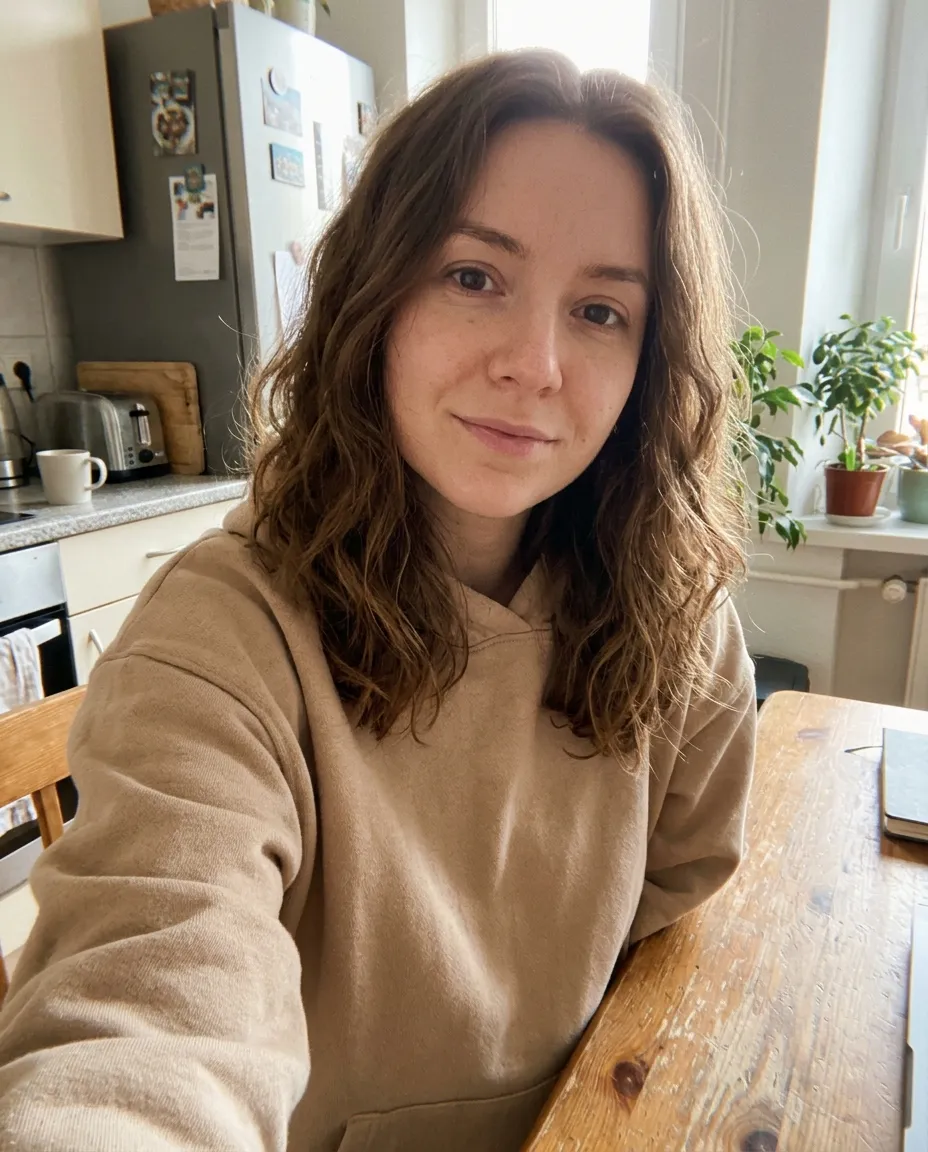
Real results from the three styles, with no other edits. The 16-bit portrait comes from the exact prompt shown above.
16-bit portrait
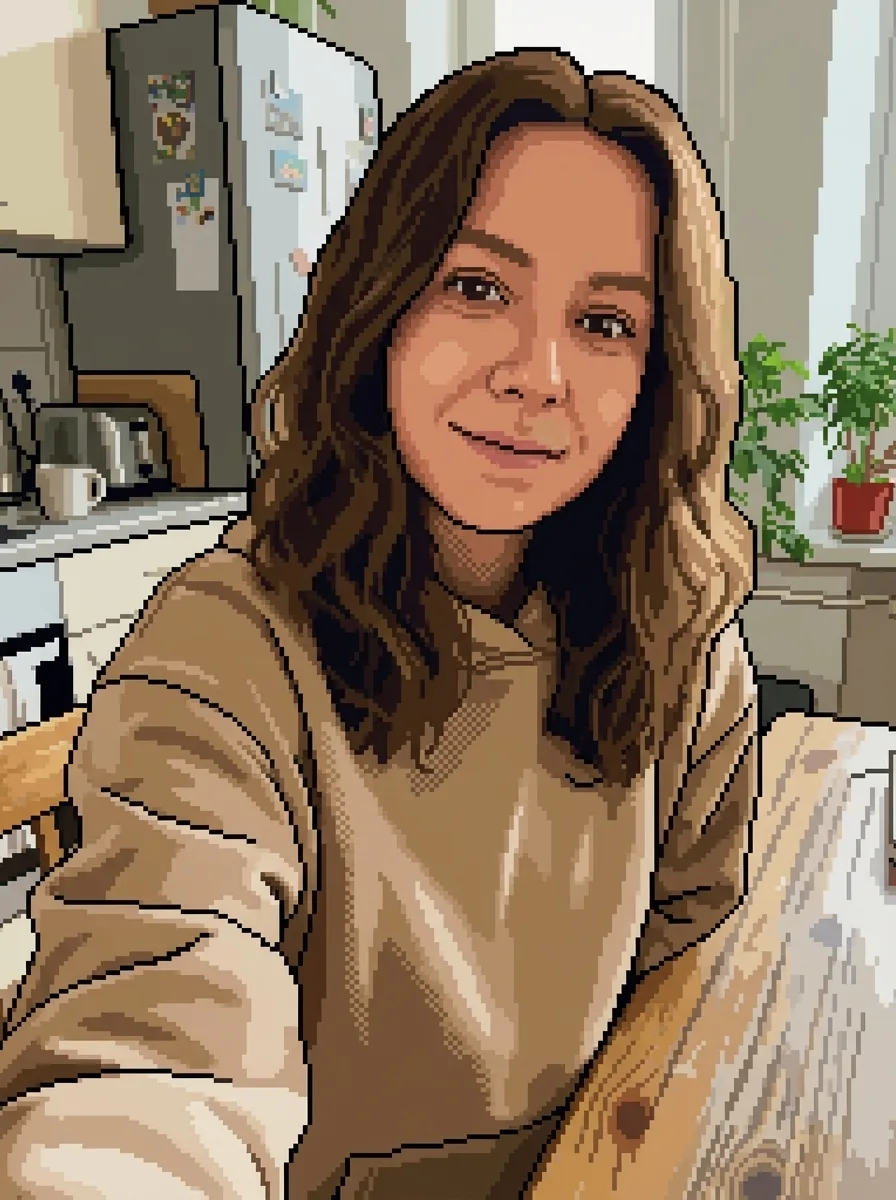
A kitchen selfie became 16-bit pixel art with the same wavy brown hair, beige hoodie and smile. Outlines step in square pixels, shading is dithered, and the fridge, mug and plants are redrawn in blocks.
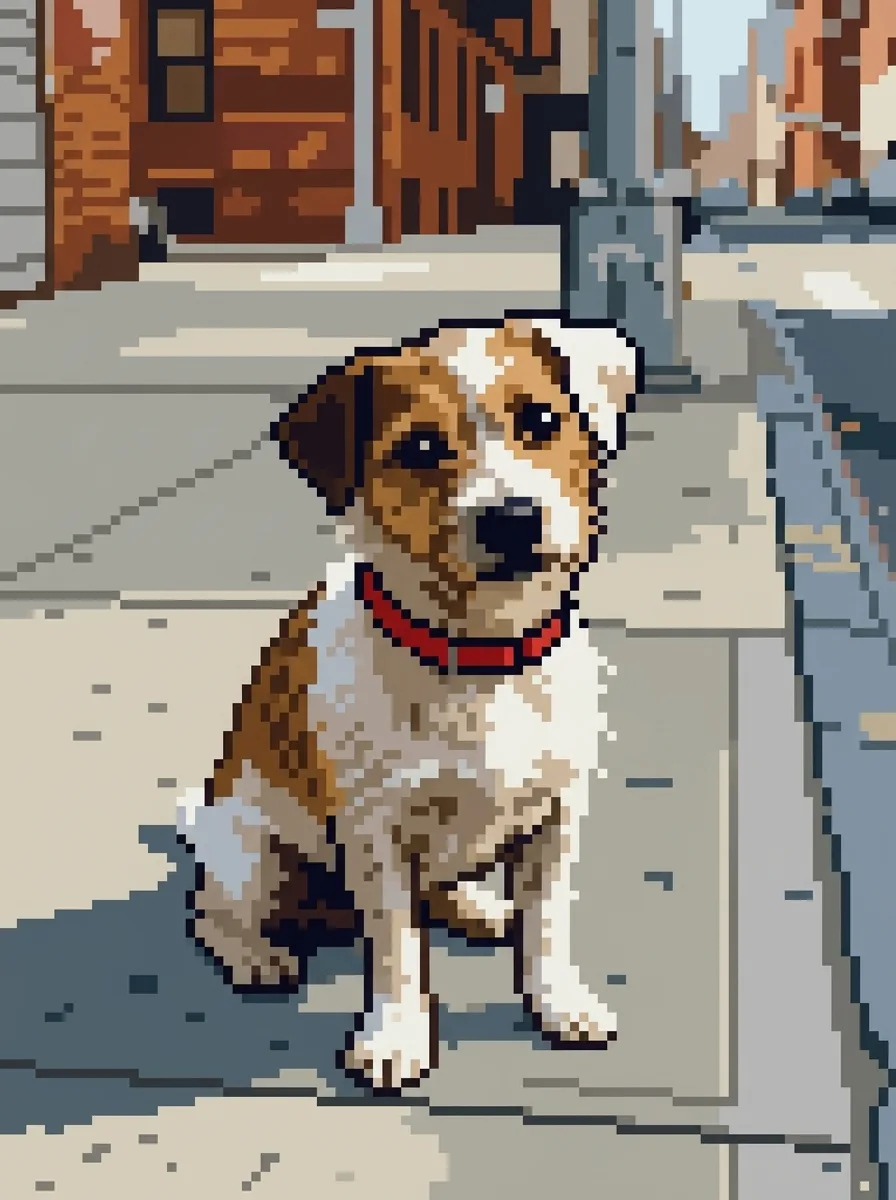
8-bit pet
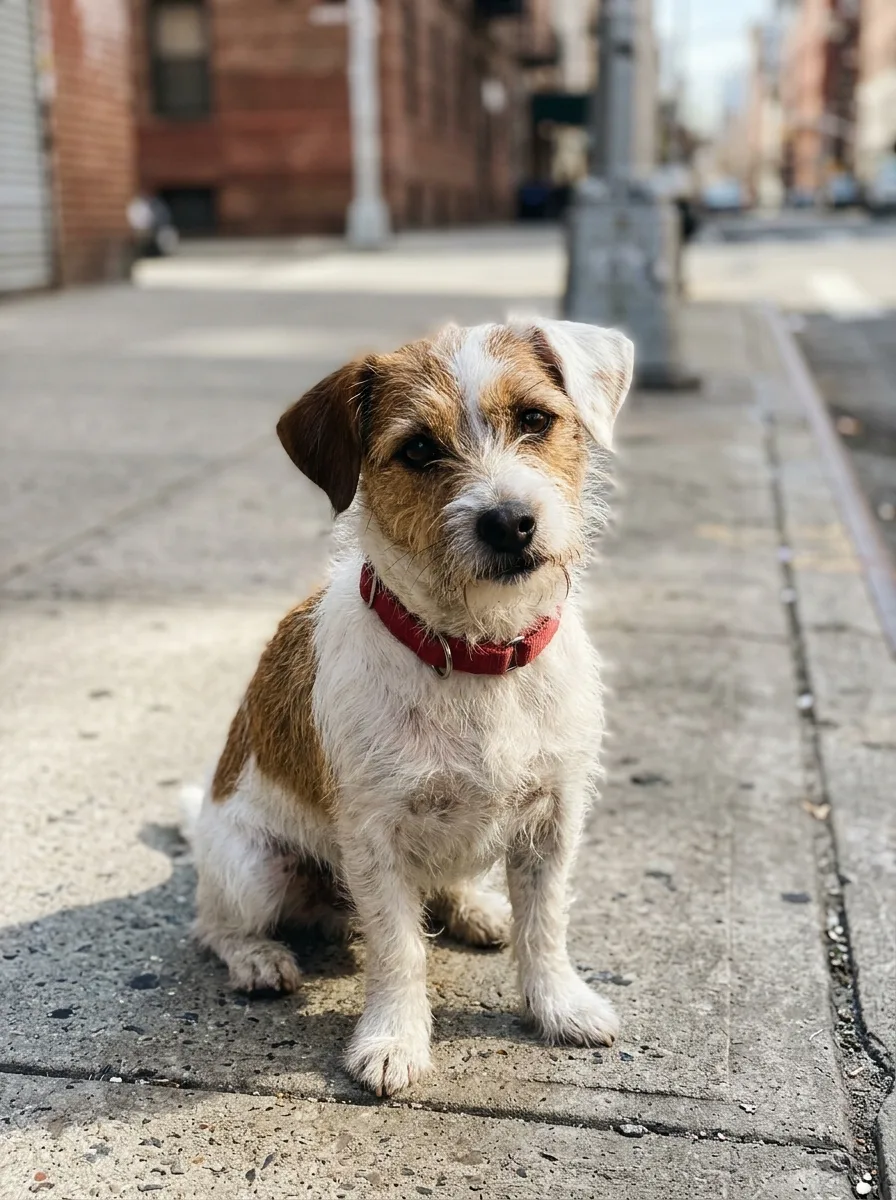
A terrier on a city sidewalk became chunky 8-bit art with big square pixels and a dozen flat colours. The brown ear, the patches on its face and the red collar all survived.
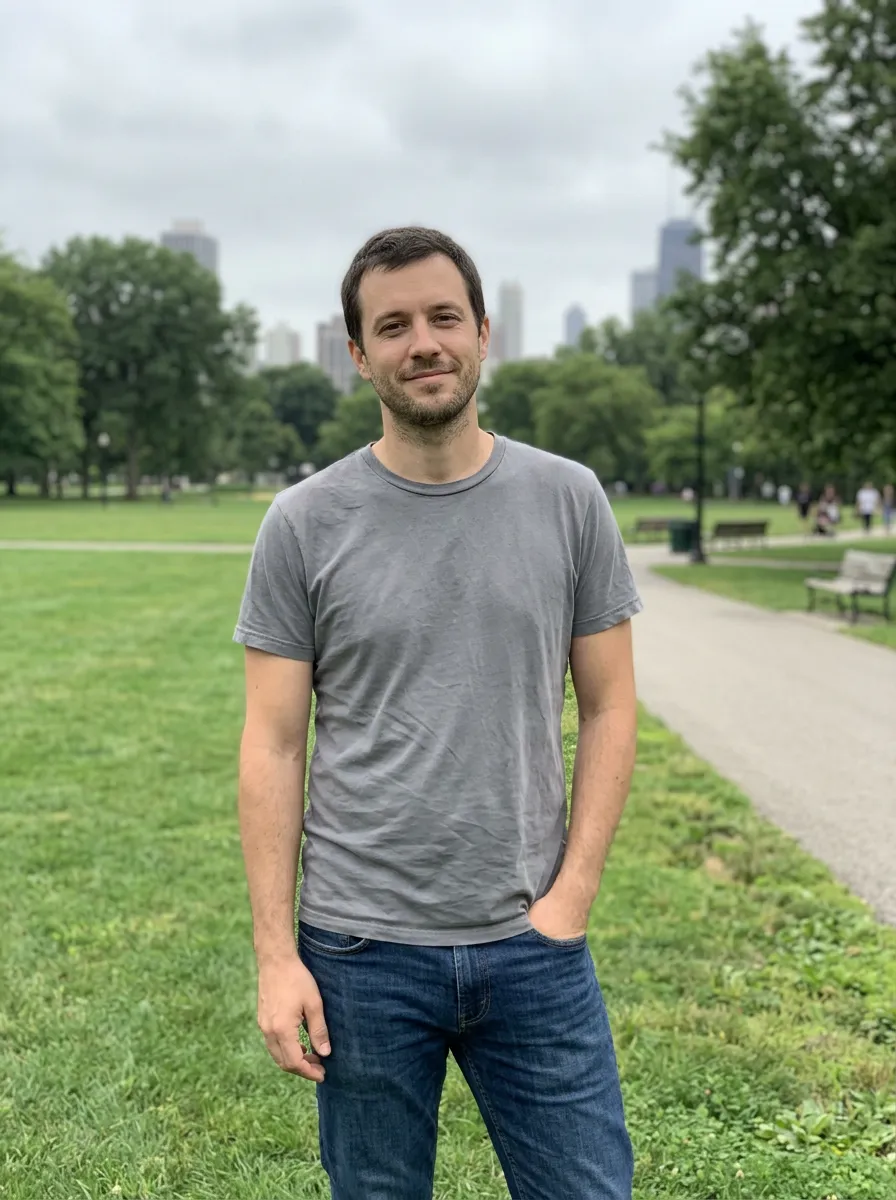
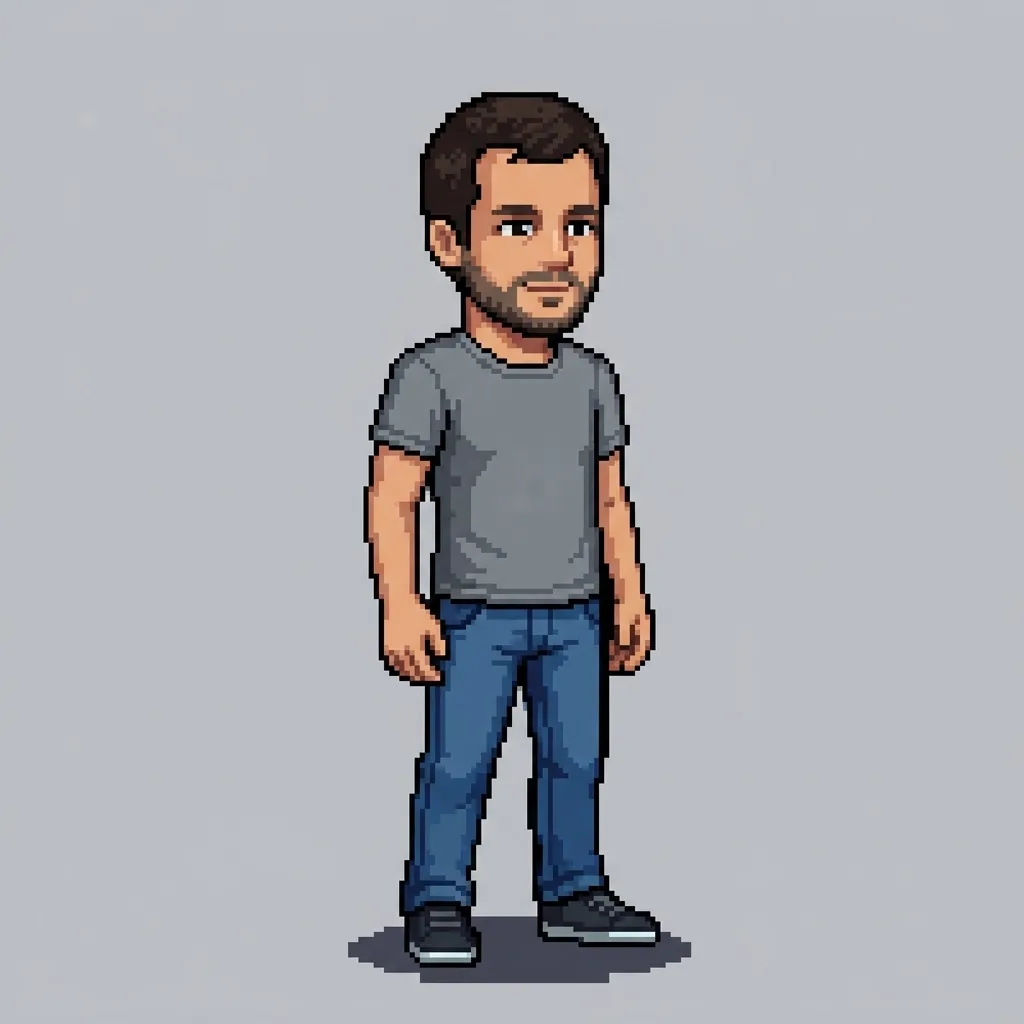
Game sprite
A park photo became a full-body sprite on a plain grey background, with the same short beard, grey T-shirt and blue jeans. The photo stops at the knees, so the dark sneakers are invented.
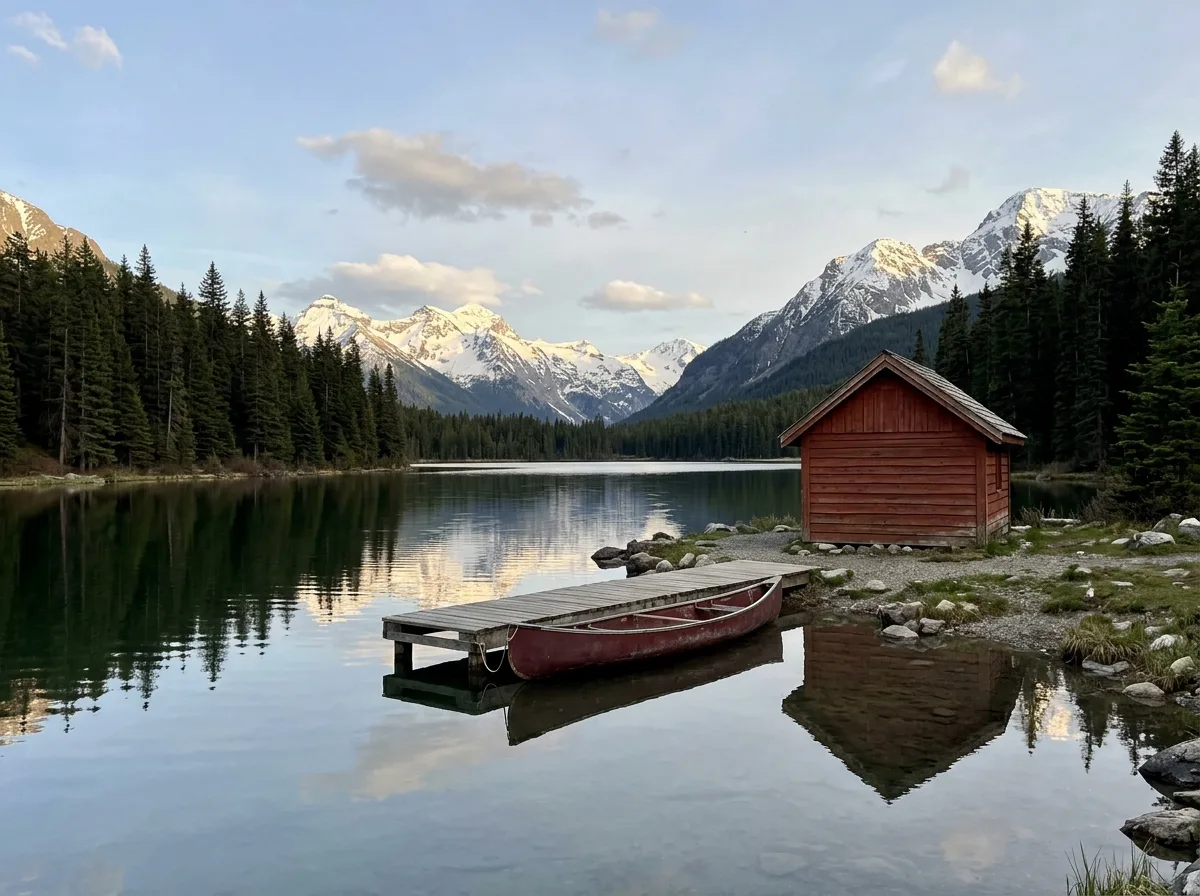
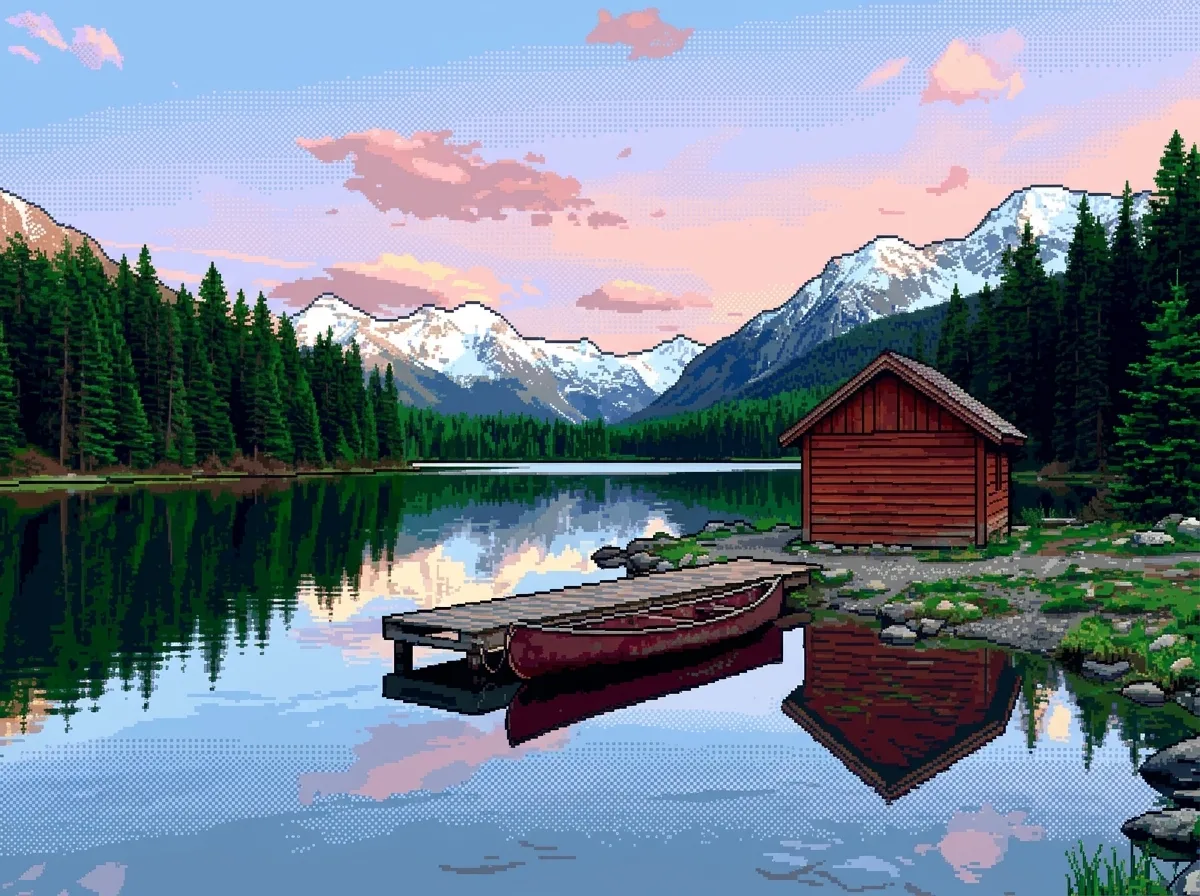
16-bit landscape
A mountain lake photo became a 16-bit scene with dithered sky and water, pixel pine trees, and the red cabin, pier and canoe in place. The sky came out pinker than in the photo.
What people make with a pixel art converter
The searches behind this page, and which style fits each one.
Pixel art avatar
Turn a selfie into a 16-bit portrait for Discord, Twitch, Steam or X, then crop it square for a profile picture.
Game sprites from a photo
Game sprite gives a full-body character on a plain background, a starting point for an indie game or a game jam. Cut it out with the background remover for a transparent PNG.
Pet pixel art
Dogs and cats keep their breed, colours and markings in 8-bit or 16-bit.
Scenes and wallpapers
Landscapes, streets and rooms become retro game backgrounds. 16-bit keeps the most detail.
Gifts and prints
A 16-bit portrait of a friend, a couple or a pet prints well on cards, mugs and posters.
Reference for hand-made pixel art
Use the result as a sketch and redraw it on an exact grid in a pixel editor such as Aseprite, or turn it into a bead or cross-stitch pattern.
How to turn an image into pixel art
- 01
Upload an image
A photo, selfie, pet picture, landscape or drawing, as a JPG, PNG or WebP.
- 02
Pick a style
16-bit, 8-bit or Game sprite.
- 03
Generate
Your pixel art is ready in under a minute. 16-bit and 8-bit keep the image’s shape; the sprite is square.
- 04
Download
Compare Before and After, then save the 2K PNG.
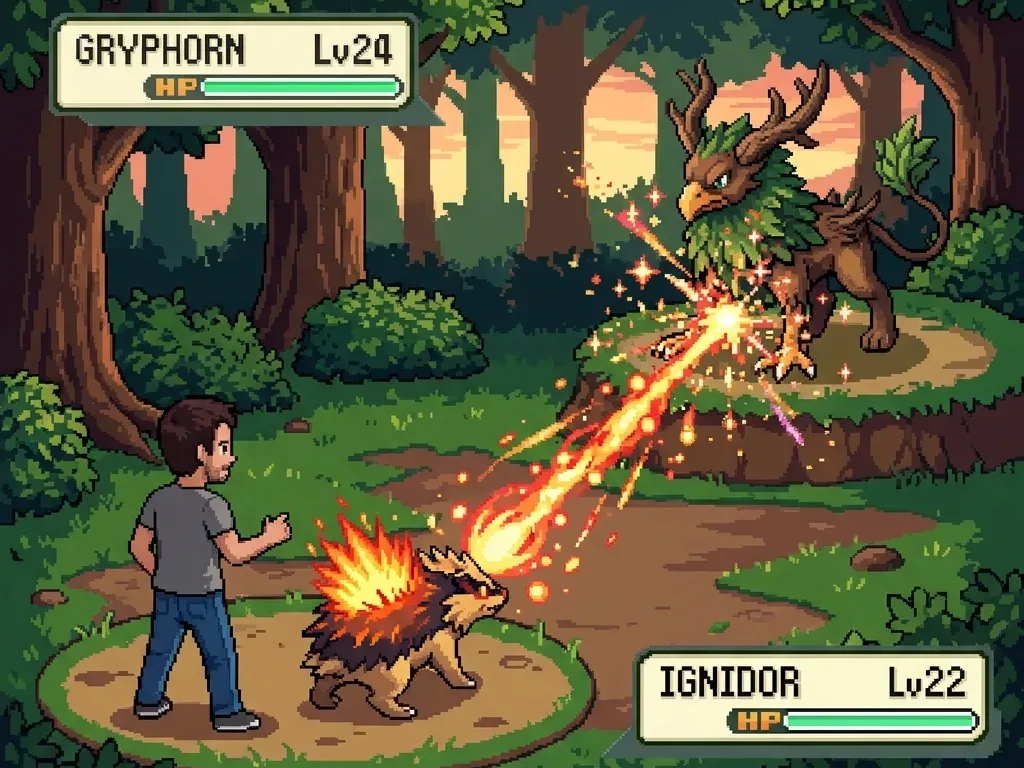
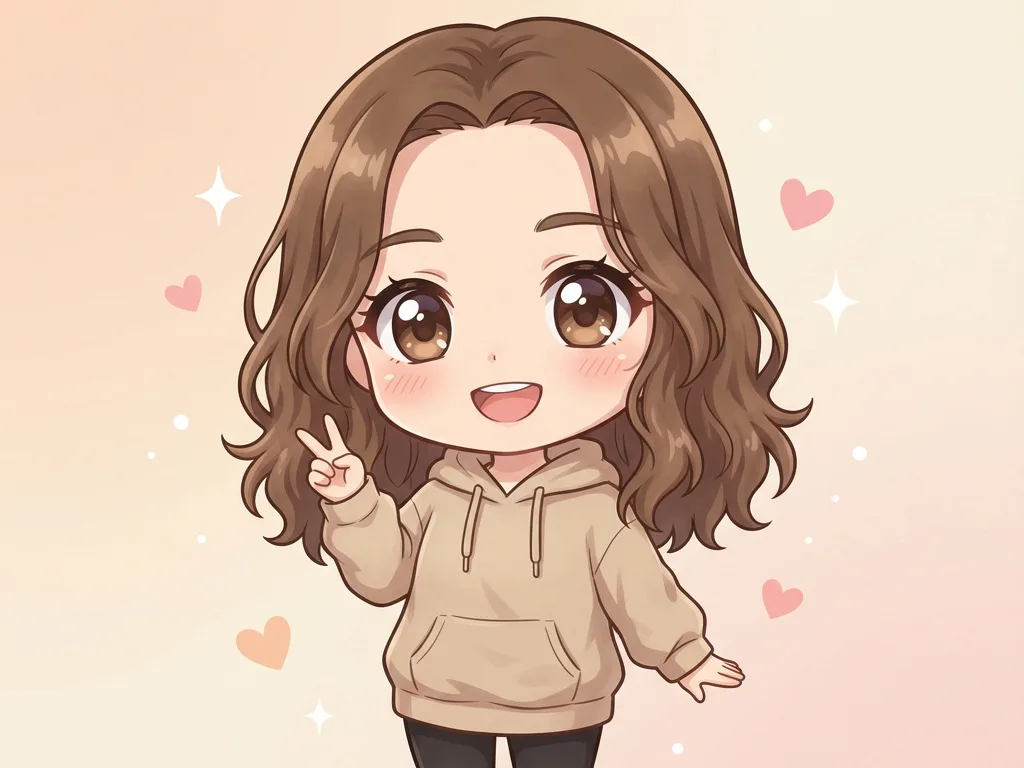
Image to pixel art FAQ
Something else? Email support@nano-banana.love.
How do I turn an image into pixel art?
Upload the image on this page, pick 16-bit, 8-bit or Game sprite, and click Generate. Nano Banana 2.1 redraws it in square pixels with a limited palette, outlines and dithered shading, and keeps the people, pets and scene recognisable. You get a 2K PNG in under a minute, in any browser. The prompt on this page also works in ChatGPT or Gemini.
Is the pixel art generator free?
Turning a photo into pixel art is free to try in ChatGPT and the Gemini app with the prompt on this page, within their daily image limits. The tool on this site is paid in credits. Each pixel art image costs 2 credits. New accounts get 2 free credits on sign-up, enough for one to try it, as long as the account passes our one-per-person checks. After that you buy credits once and use them on any tool or model. There is no subscription.
What is the difference between 8-bit and 16-bit pixel art?
8-bit and 16-bit pixel art are named after console generations. 8-bit pixel art looks like 1980s games on consoles such as the NES: big pixels, a small palette and flat colours. 16-bit pixel art looks like 1990s games on consoles such as the Super NES and Sega Genesis: more colours, smaller pixels, shading and more detail. In this pixel art converter, 8-bit uses about 12 colours and 16-bit about 32.
Can I choose the exact grid size, like 32 × 32 pixels?
No. The AI pixel art generator draws pixel art at an approximate grid and returns a 2K image, so the pixels are not counted exactly. For an exact 16 × 16, 32 × 32 or 64 × 64 grid with a fixed palette, use a grid converter such as Pixel It, or shrink the image in Photoshop or Aseprite with nearest-neighbour resampling. You can also run the AI result through a grid converter to snap it to a grid.
What is the prompt to turn a photo into pixel art in ChatGPT?
The prompt to turn a photo into pixel art in ChatGPT or Gemini is the text on this page, pasted with the photo attached. It asks for detailed 16-bit pixel art on a coarse grid of about 160 pixels, a 32-colour palette, outlines and dithering, while keeping the same people, pets, colours and background. A note under the prompt shows the one sentence to change for 8-bit.
Can I make a pixel art sprite of myself?
Yes. Pick Game sprite and upload a photo where you are clearly visible, ideally full-length. The tool draws you as a full-body 16-bit character on a plain grey background, with your hairstyle, facial hair, glasses and outfit colours. If the photo is cropped, the missing parts, such as shoes, are invented. It is a single image, not an animated sprite sheet.
Can I make Minecraft pixel art from an image?
Not directly. This tool makes a pixel art picture, not a build plan. Minecraft pixel art generators map an image to block colours and list how many blocks of each kind you need. You can still use a result from this page as the starting image in one of those generators, since a clean, limited palette converts better than a busy photo.
Does it work on drawings, logos and anime art?
Yes. The pixel art converter works on drawings, illustrations, anime screenshots, logos and photos, as long as you have the rights to the image. Simple shapes with clear outlines convert most cleanly. Very small text and fine patterns are simplified or lost, because pixel art has fewer, bigger pixels than the original.
Can I upload a photo of a friend?
Only with their permission, and only of adults. You confirm you have the rights to the image before you generate.
What happens to my image?
Your image is uploaded only to make your result. Uploads are deleted from our storage provider within about 24 hours, results stay downloadable in your account for 14 days, and we never use your images to train AI models.
Turn your image into pixel art
Upload a photo or drawing, pick a style and get your pixel art in under a minute.
Start creating