AI Sticker Generator
Upload a selfie or a pet photo and get it back as a die-cut sticker with a thick white border, already cut out on a transparent background. Pick a flat cartoon, a glossy 3D figure or a pack of four expressions for WhatsApp. Copy the prompt below for ChatGPT or Gemini, or make a 2K transparent PNG here in about a minute.
- 3 styles
- Transparent PNG
- 2K output
- Seedream 5.5
Turn a photo into a die-cut sticker PNG.
Sign in to use the tool. New accounts get free credits to try it.
Example
 Example · Cartoon
The sticker prompt for ChatGPT and Gemini
Paste it into ChatGPT or Gemini with your photo attached. The tool above runs this same text, then cuts the sticker out.
Prompt
Turn the people or pets in this photo into a cute flat cartoon sticker with bold clean outlines, simple cel shading and bright colours. Frame people from the chest up and pets in full, centred and filling most of the square. Keep them recognisable: the same face, hairstyle, hair colour, skin tone, glasses, facial hair and clothes, or the same breed, fur colour and markings for a pet. Give every sticker a thick, even white die-cut border that follows its outline. Place it on a plain, flat, solid dark grey background with nothing else on it and no drop shadow, so the white border stands out. No text, no watermark and no logo.
The dark grey background is on purpose: a background remover can then keep the white border. For a pack of four expressions, replace the first sentence with “Turn the main person or pet in this photo into a sticker sheet of four separate cute cartoon stickers of the same subject, arranged in a two by two grid with space between them, each with a different expression: laughing, heart eyes, a thumbs up or happy wave, and a surprised face.”
What does an AI sticker maker do?
The AI sticker generator on this page turns one photo into a die-cut sticker. You upload a selfie or a pet photo and pick a style. ByteDance’s Seedream 5.5 image model redraws the person or pet as a sticker with bold outlines and a thick white border. A background removal model then cuts the sticker out, so you download a 2K PNG with a transparent background. One sticker takes about a minute and costs 3 credits.
There are three styles. Cartoon is a flat sticker with clean outlines and soft cel shading. 3D is a glossy, puffy figure that looks like a soft vinyl toy. Sticker pack draws the same face four times: laughing, with heart eyes, with a thumbs up or a wave, and surprised. Every result is square, the shape messaging apps use for stickers. Faces, hairstyles, glasses, beards, clothes and a pet’s markings stay recognisable. For a big-head anime drawing without a border, try the photo to chibi tool.
A photo-to-sticker tool and a text-to-sticker tool do different jobs. The sticker generators from Canva and Adobe Firefly mainly start from a typed idea, such as “a frog holding an umbrella”, and invent a design. The sticker maker here starts from your photo, so the result looks like you or your pet. To design a sticker from words instead, use the Seedream 5.5 image generator and ask for a transparent background. To keep the real photo with no redraw, the iPhone Photos app can lift the subject into a sticker on its own.
ChatGPT, Gemini, WhatsApp, Telegram, iPhone, Canva and Adobe Firefly are trademarks of their owners, and this site is not affiliated with them. Seedream 5.5 is made by ByteDance, which is not affiliated with this site.
Photo to sticker: before and after
Real results from the three styles, shown on a checkerboard so you can see the transparent background. The cartoon portrait comes from the exact prompt shown above.
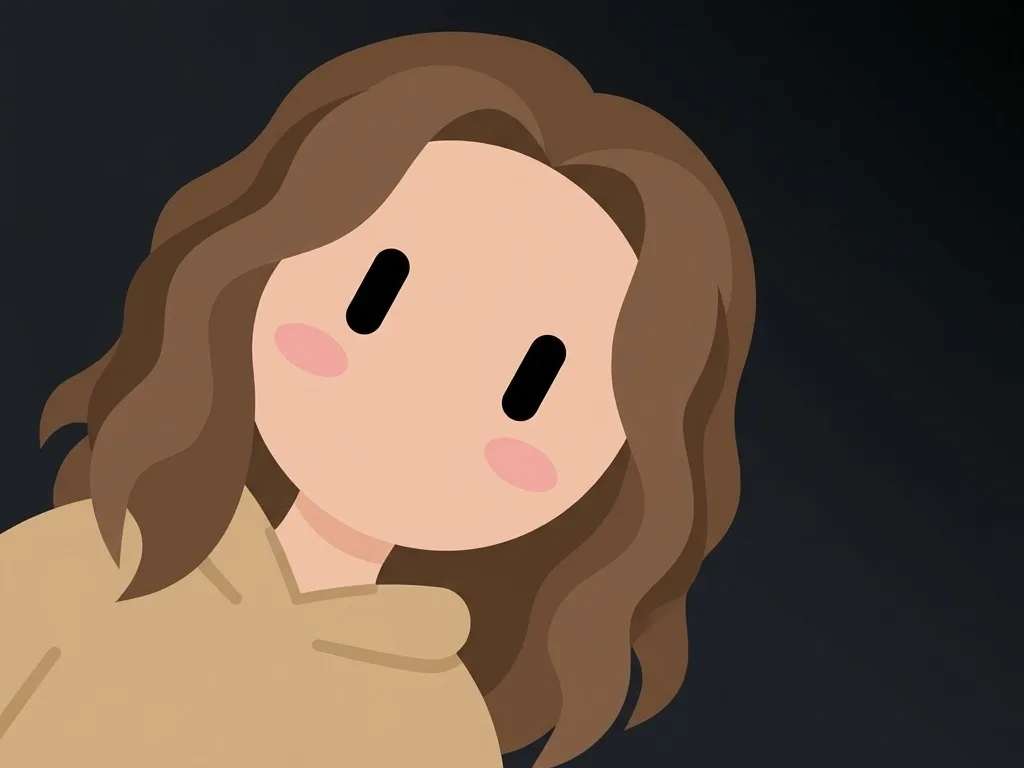
Cartoon sticker
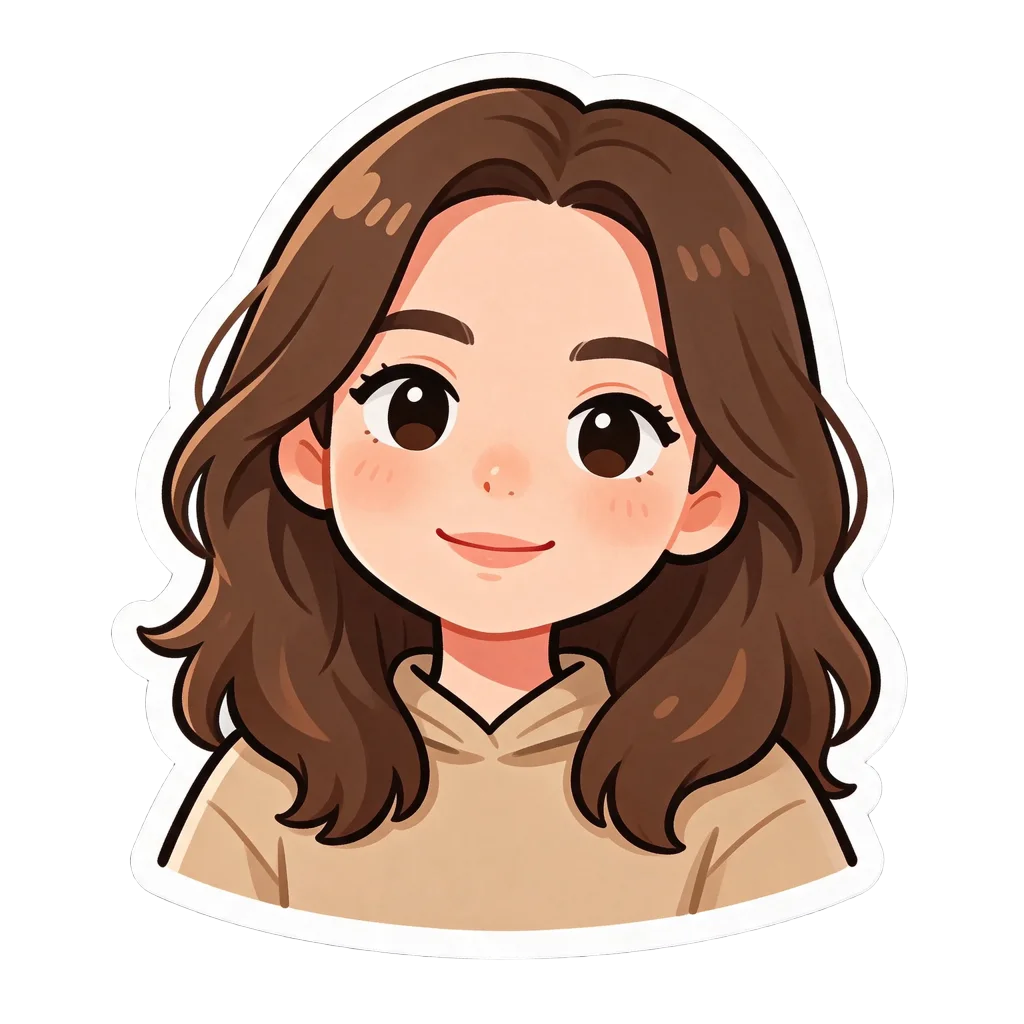
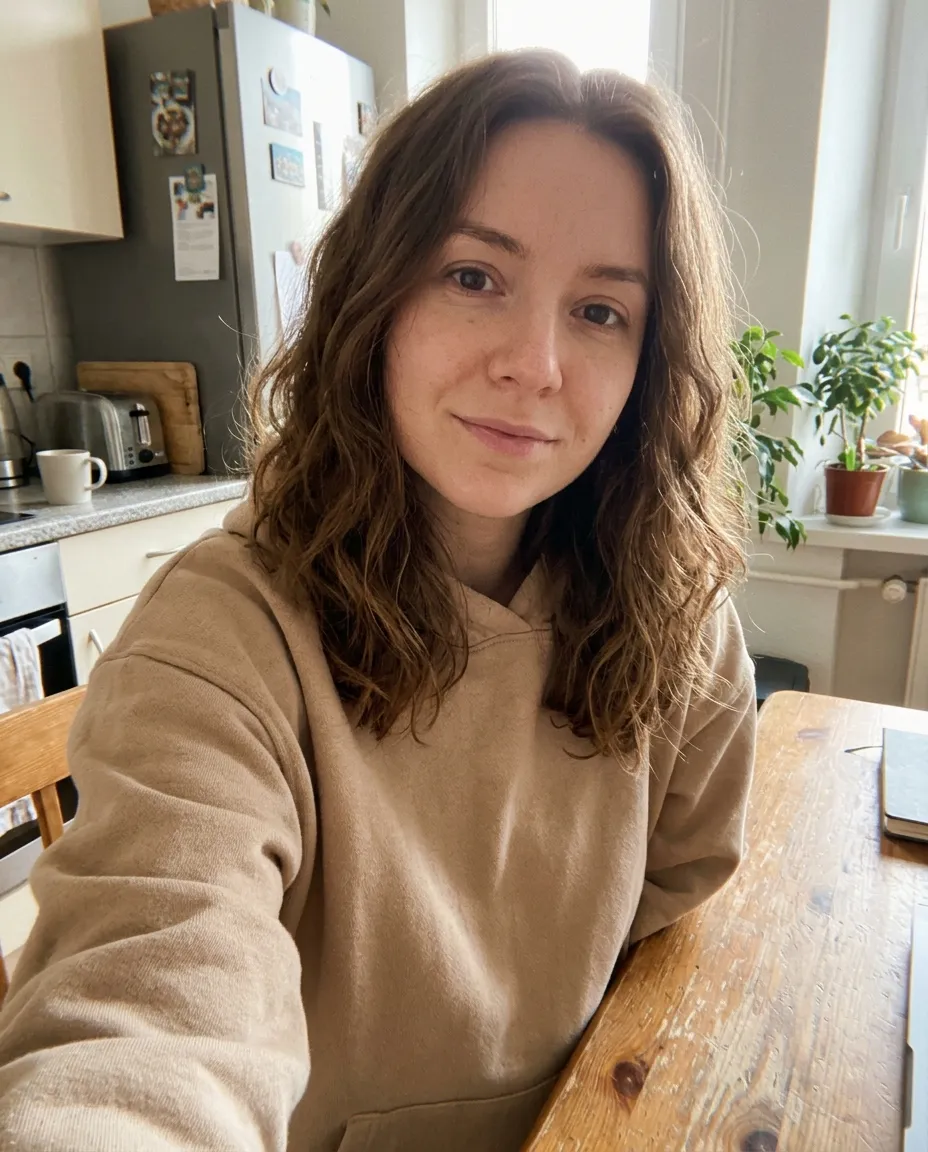
A kitchen selfie became a flat cartoon sticker with the same long wavy brown hair, beige hoodie and soft smile, inside a clean white border. The kitchen is gone and the edges are transparent.

Sticker pack
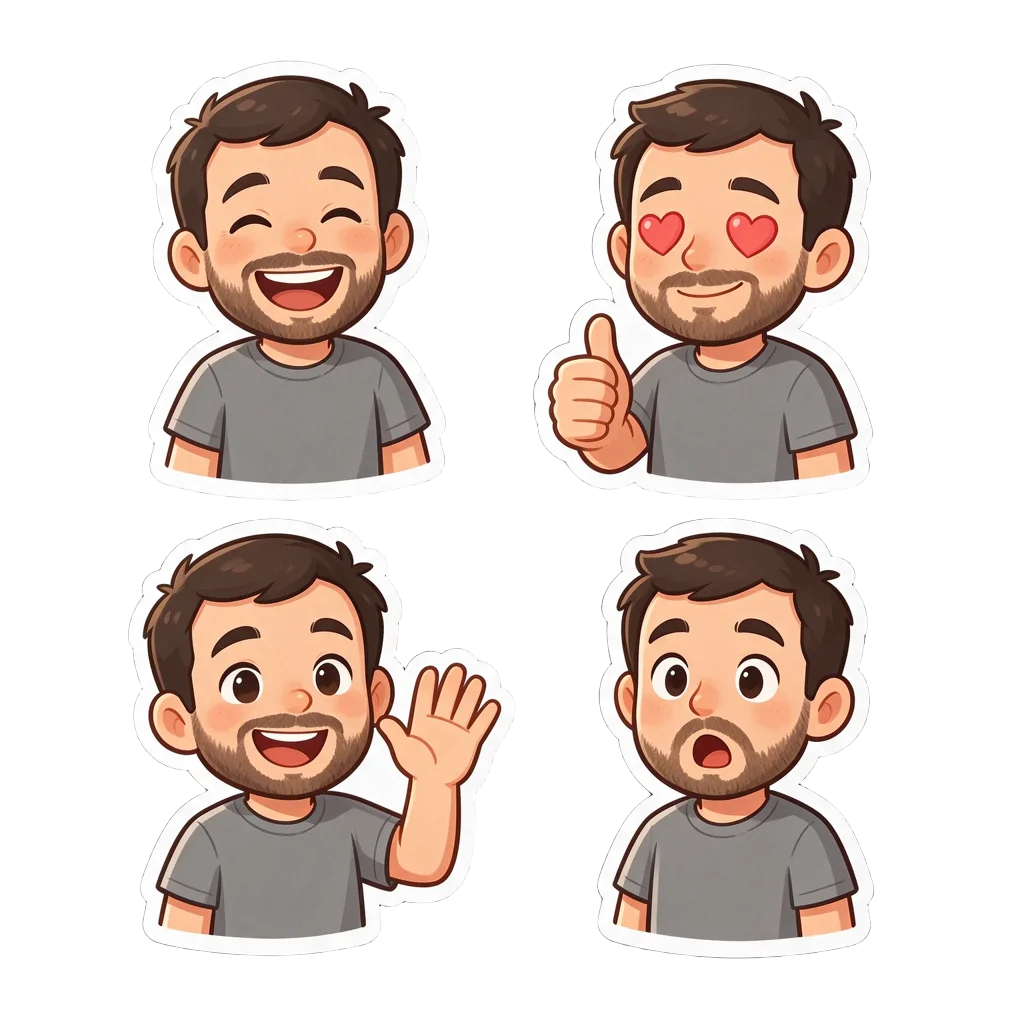
A park photo became four stickers of the same man, with his short beard and grey T-shirt: laughing, heart eyes with a thumbs up, waving and surprised. Each one has its own border, ready to split into a pack.
3D sticker
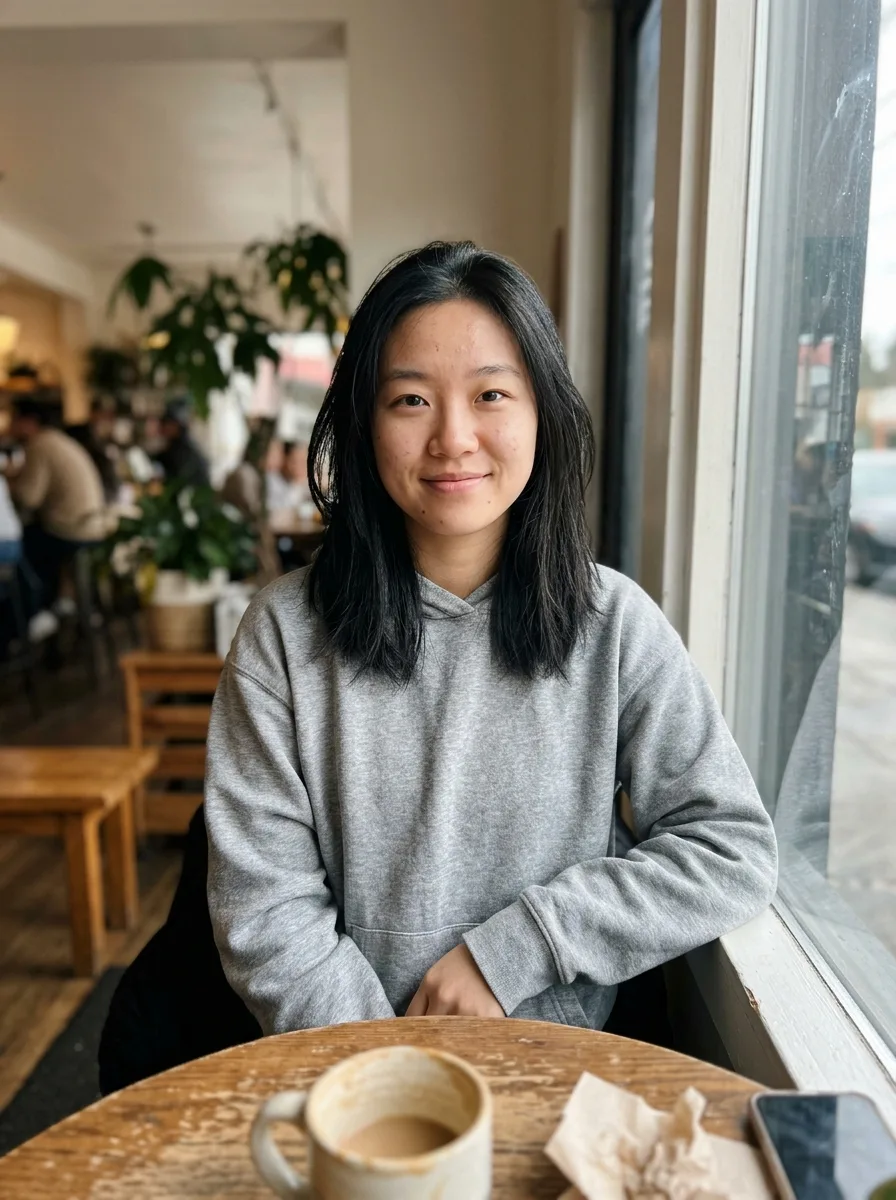
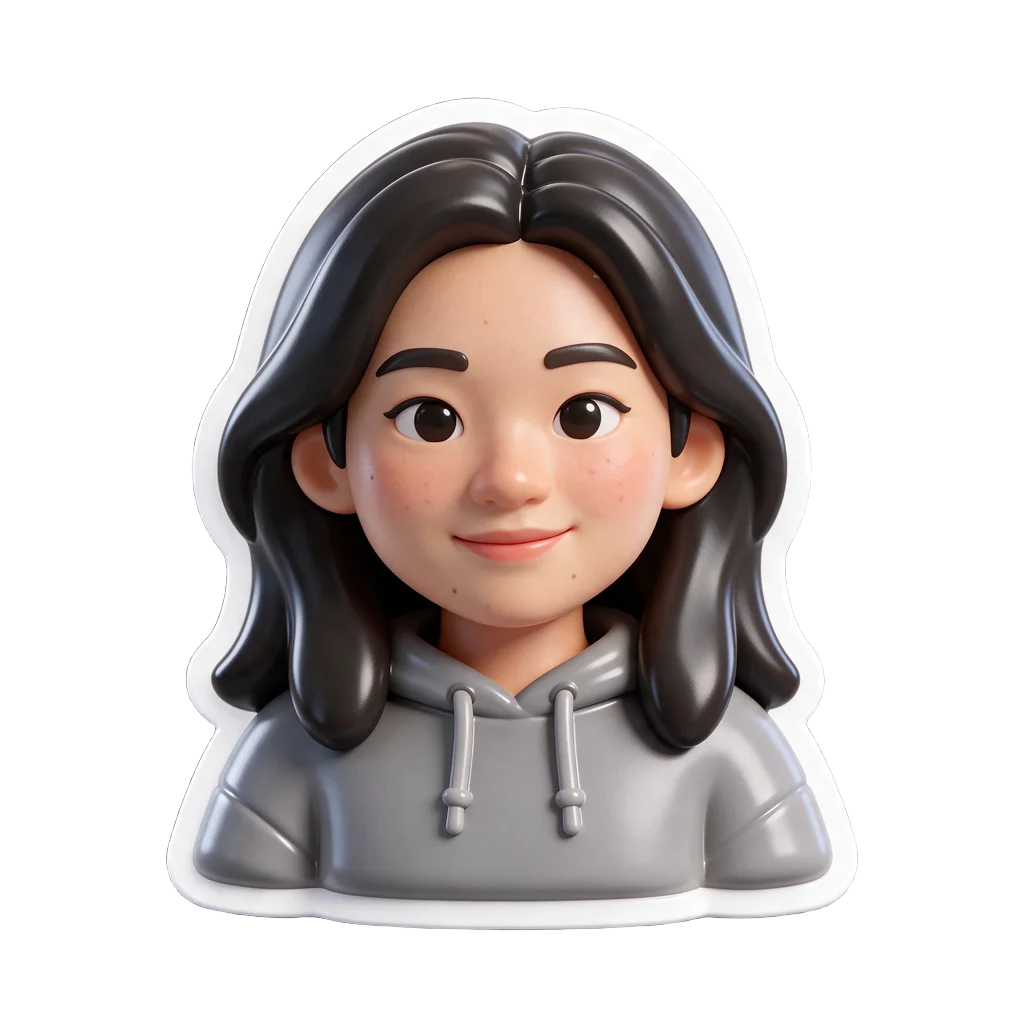
A cafe selfie became a glossy 3D figure with the same long black hair and grey hoodie, lit like a soft vinyl toy. The freckles on her cheeks survived the redraw.
Pet sticker
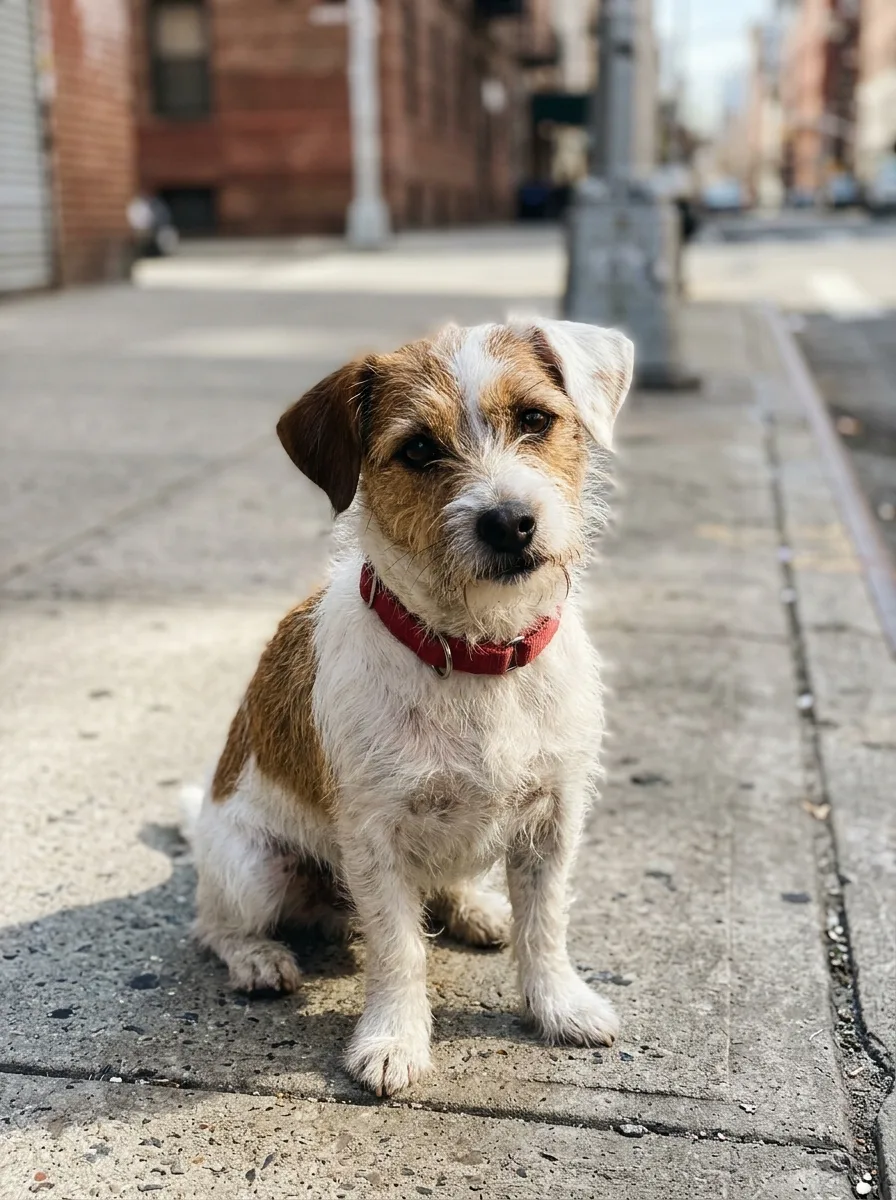
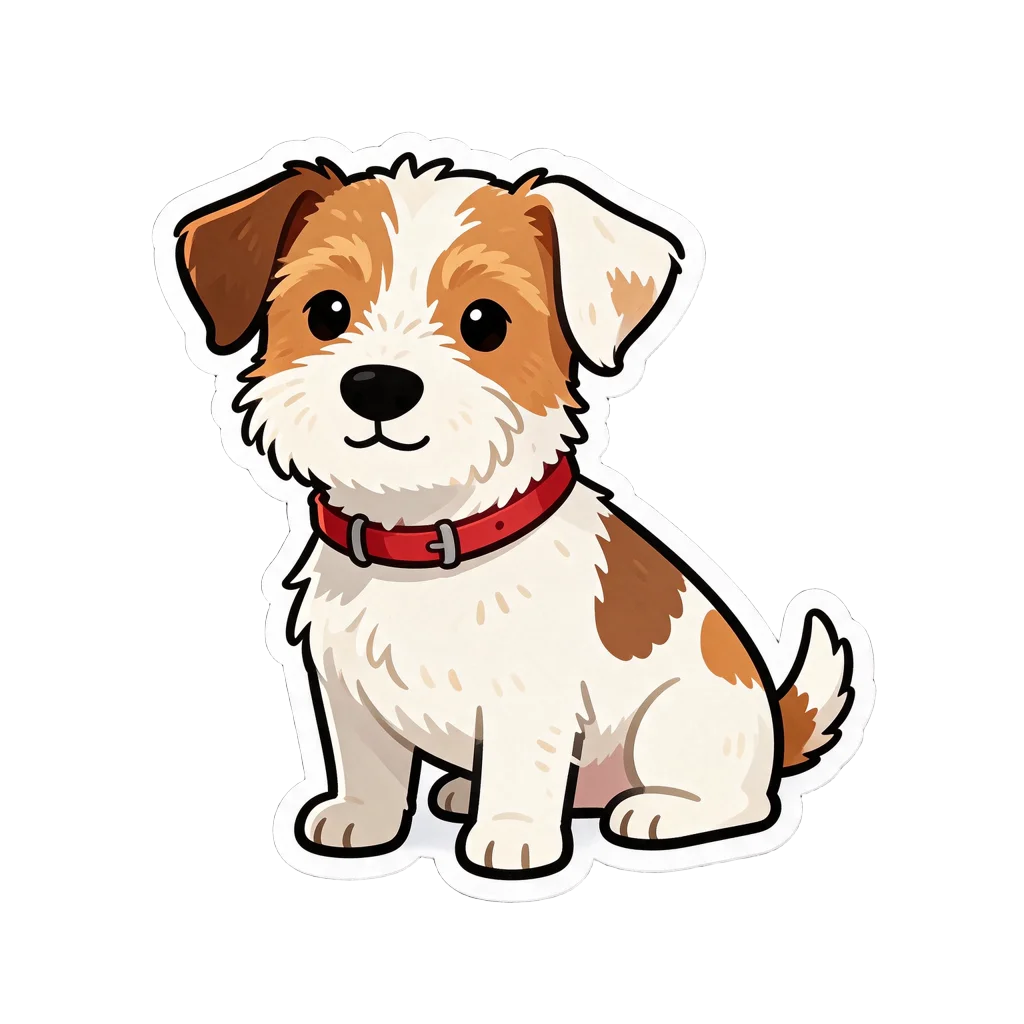
A terrier on a city sidewalk became a full-body cartoon sticker with the brown ear, the patches on its back and the red collar. The tail was hidden in the photo, so it was drawn in.
What people make with a sticker generator
The searches behind this page, and which style fits each one.
WhatsApp and Telegram stickers
Sticker pack gives four expressions at once. Crop each one out, and resize it to 512 × 512 for a WhatsApp pack.
Pet stickers
Dogs and cats keep their breed, colours and markings in the cartoon and 3D styles. For a framed painting of your pet instead, use the AI pet portrait maker.
Printed stickers
Order die-cut vinyl stickers from the 2K PNG. Print shops cut along the transparent edge, so the white border becomes the sticker’s edge.
Custom stickers for a team or event
Make one sticker per person for a group chat, a party, a wedding or a team laptop.
Profile pictures and emojis
A cartoon or 3D sticker works as an avatar on Discord, Slack or X. For a pixel look instead, use the image to pixel art converter.
Planner and journal stickers
Drop the transparent PNG into GoodNotes, Notability or Canva as a digital sticker.
How to turn a photo into a sticker
- 01
Upload a photo
A clear selfie or pet photo, as a JPG, PNG or WebP.
- 02
Pick a style
Cartoon, Sticker pack or 3D.
- 03
Generate
The sticker is drawn, then cut out. It takes about a minute.
- 04
Download
Save the square 2K PNG with its transparent background.

AI sticker maker FAQ
Something else? Email support@nano-banana.love.
How do I make a sticker from a photo?
Upload the photo on this page, pick Cartoon, Sticker pack or 3D, and click Generate. Seedream 5.5 redraws the person or pet as a sticker with a white border, and background removal cuts it out. You get a square 2K PNG with a transparent background in about a minute, in any browser. The prompt on this page also works in ChatGPT or Gemini.
Is the AI sticker generator free?
Turning a photo into a sticker is free to try in ChatGPT and the Gemini app with the prompt on this page, within their daily image limits, but you have to cut the background out yourself. The sticker maker on this site is paid in credits and returns a transparent PNG. Each sticker costs 3 credits. New accounts get 2 free credits on sign-up, as long as the account passes our one-per-person checks. After that you buy credits once and use them on any tool or model. There is no subscription.
Does the sticker have a transparent background?
Yes. Every sticker from this AI sticker maker is a PNG with a transparent background: the area outside the white border is empty, not white. Keep it as PNG or WebP when you save or share it, because a JPG fills transparent areas with white or black. On rare busy results, background removal can nick the border; generate again if it does.
How do I make a sticker from a photo on iPhone?
On iPhone, open the photo in the Photos app, touch and hold the subject, and tap Add Sticker. The iPhone cuts the real photo out and saves it to your stickers, where you can add an Outline or Comic effect, as Apple’s support guide explains. That keeps the photo as it is. Use this page when you want a drawn cartoon or 3D sticker instead.
How do I add my stickers to WhatsApp?
WhatsApp stickers are 512 × 512 pixel images with a transparent background, and a pack holds 3 to 30 stickers, according to WhatsApp’s sticker guidelines. Resize the PNG from this page to 512 × 512, or crop each face out of a Sticker pack result first. Then add the images to WhatsApp with a sticker maker app that builds packs from your own pictures.
What is the best sticker prompt for ChatGPT or Gemini?
The sticker prompt on this page works in ChatGPT and Gemini with your photo attached. It asks for a cute flat cartoon sticker with bold outlines and a thick white die-cut border, keeps the face, hair, clothes or pet markings, and puts the sticker on dark grey so a background remover can keep the border. A note under the prompt shows the sentence to change for a four-sticker pack.
Can I make a sticker of my dog or cat?
Yes. Upload a clear photo where the pet’s face is easy to see and pick Cartoon or 3D. The AI sticker generator keeps the breed, fur colour, markings and collar, and draws the whole animal when it fits. Parts hidden in the photo, such as a tail or paws, are drawn in. Sticker pack works best with one pet or one person in the photo.
Can I make a sticker from text instead of a photo?
Not on this page, which always starts from a photo. To make a sticker from a text prompt, use a text-to-image model and ask for a sticker with a white border on a transparent background. Seedream 5.5 in this site’s image generator returns transparent PNGs, and Canva and Adobe Firefly also have text-to-sticker generators.
Can I print the stickers?
Yes. The square 2K PNG, 2048 × 2048 pixels, is sharp enough for vinyl stickers up to about 7 inches wide at 300 DPI. Upload it to a print shop that makes die-cut stickers, and the transparent edge sets the cut line. For bigger prints, run the sticker through the AI image upscaler on this site first.
Can I upload a photo of a friend?
Only with their permission, and only of adults. You confirm you have the rights to the photo before you generate.
What happens to my photo?
Your photo is uploaded only to make your result. Uploads are deleted from our storage provider within about 24 hours, results stay downloadable in your account for 14 days, and we never use your photos to train AI models.
Make your own sticker
Upload a photo, pick a style and download a transparent sticker PNG in about a minute.
Start creating